


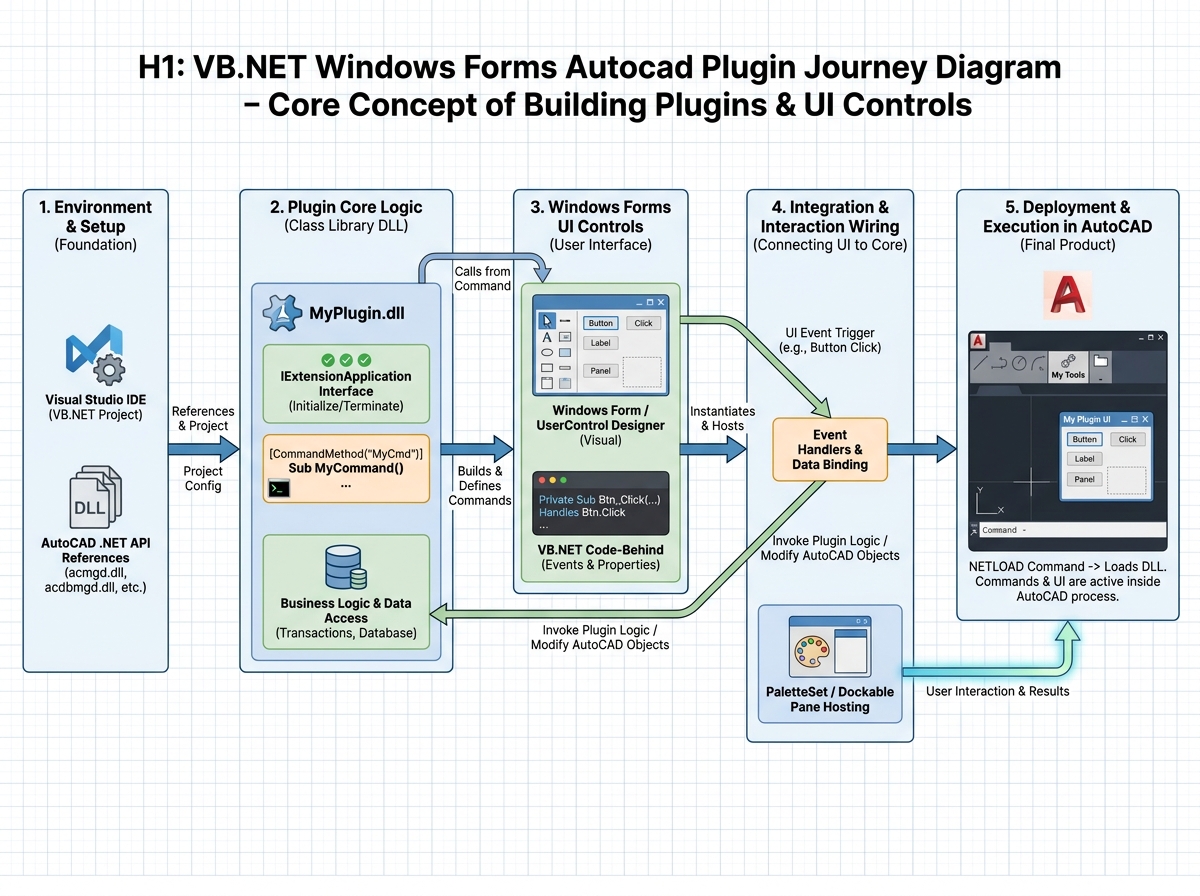
I remember the first time I stared at the AutoCAD interface, wondering how to bend it to my own tasks. This story isn’t about another course; it’s the actual pace, missteps, and tiny breakthroughs I felt as I learned to craft AutoCAD plugins with VB.NET and Windows Forms. From fumbling with UI controls to automating complex drawing tasks across multiple files, this narrative follows a practitioner’s path—where friction becomes insight and tools become extensions of my own hands. If you’re here because you want real, working plugins that feel native to AutoCAD, you’ll recognize the exact moments that finally clicked for me and continue to resonate as you apply them to your own projects.
Leave a Reply