


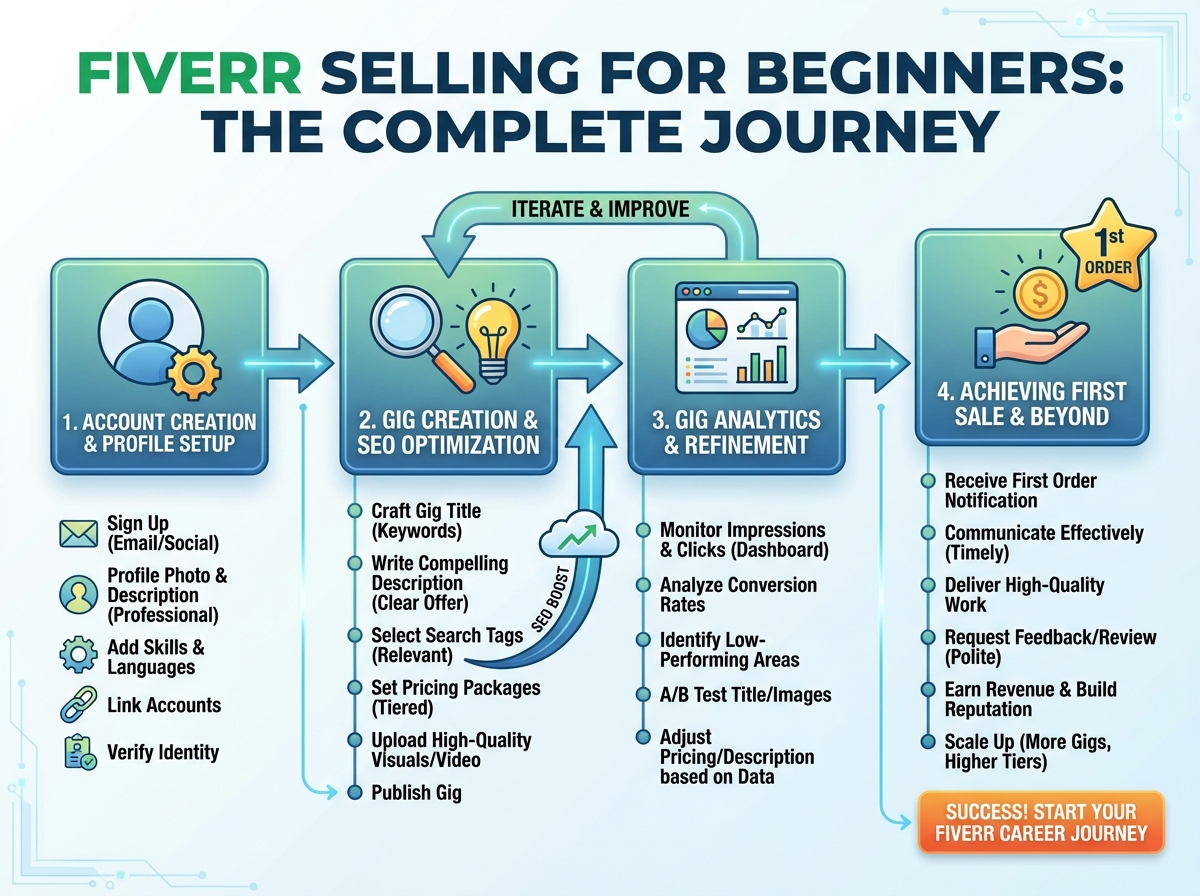
The first time I published a Fiverr gig, I was convinced the orders would come. I had a skill, I had a profile picture, and I had clicked “Publish.” Nothing happened for three weeks.
If you’re looking to learn how to sell on Fiverr, the honest answer is that the platform rewards setup more than hustle. The sellers who win early aren’t necessarily the most talented — they’re the ones who understand how Fiverr’s search algorithm reads a gig, how buyers decide in under five seconds, and what signals tell the platform you’re worth showing to people. Get those things right, and orders follow. Skip them, and you’ll wait forever wondering what’s broken.
- Your profile is a ranking signal, not just an introduction — incomplete profiles suppress gig visibility before a single buyer ever sees you.
- Fiverr SEO lives inside your title, tags, and description — keyword placement in all three determines whether your gig appears on page one or page ten.
- Analytics tell you what to fix before you lose more time — sellers who read their gig data early iterate faster and reach consistent sales much sooner.
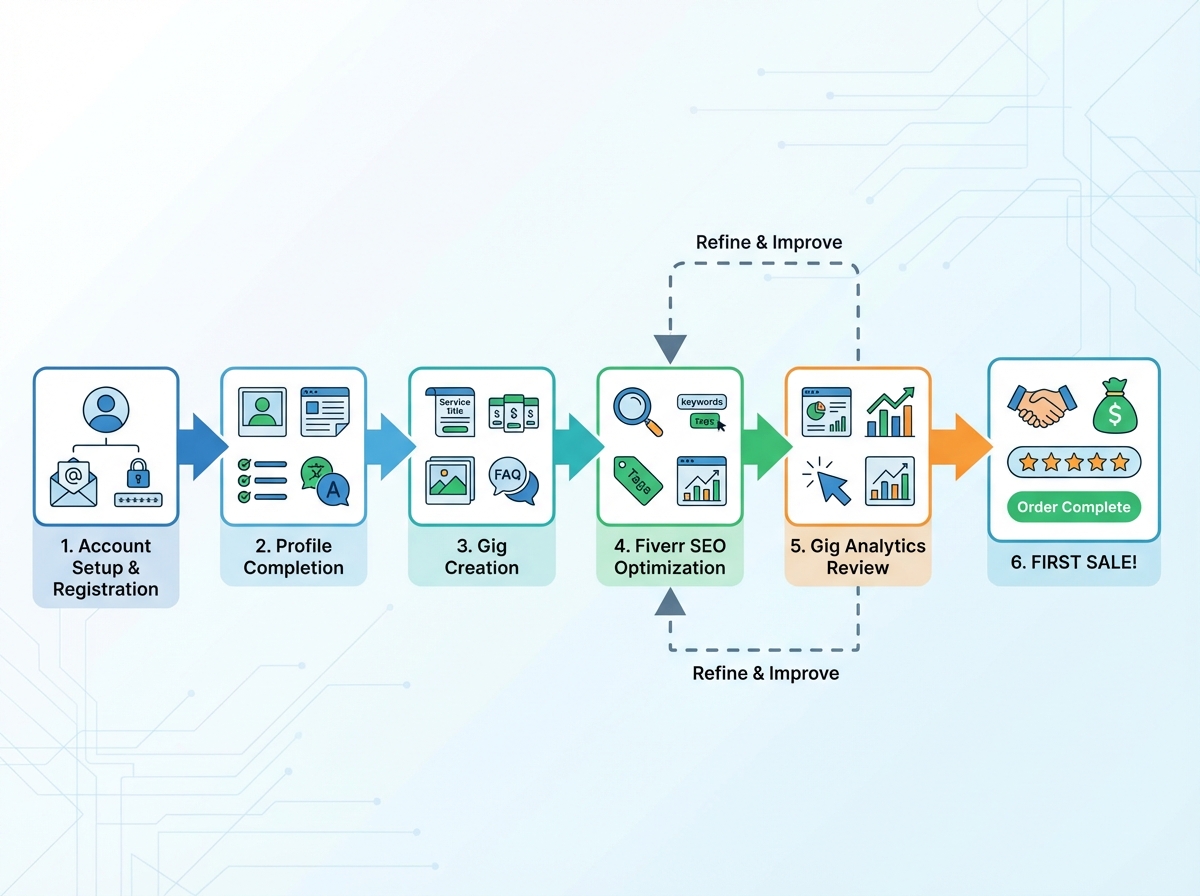
What “Selling on Fiverr” Actually Means for a New Seller
Fiverr is a search-driven marketplace. Buyers don’t browse seller profiles the way they scroll Instagram — they type a need into a search bar, scan a grid of gig thumbnails, and click the one that looks most relevant and credible. That means your entire presence on Fiverr functions less like a résumé and more like a product listing inside a search engine.
For a new seller with zero reviews, this creates a specific challenge. You can’t compete on social proof yet. What you can compete on is clarity — a gig that is precisely targeted, clearly described, and correctly tagged will outrank a vague gig from a seller with more experience. Fiverr’s algorithm weights relevance heavily, which means a beginner who does their SEO right genuinely has a shot at page one.
The three variables that determine early success are your profile completion, your gig structure, and your tag and description optimization. Everything else — response rate, order completion, reviews — builds on top of those foundations.
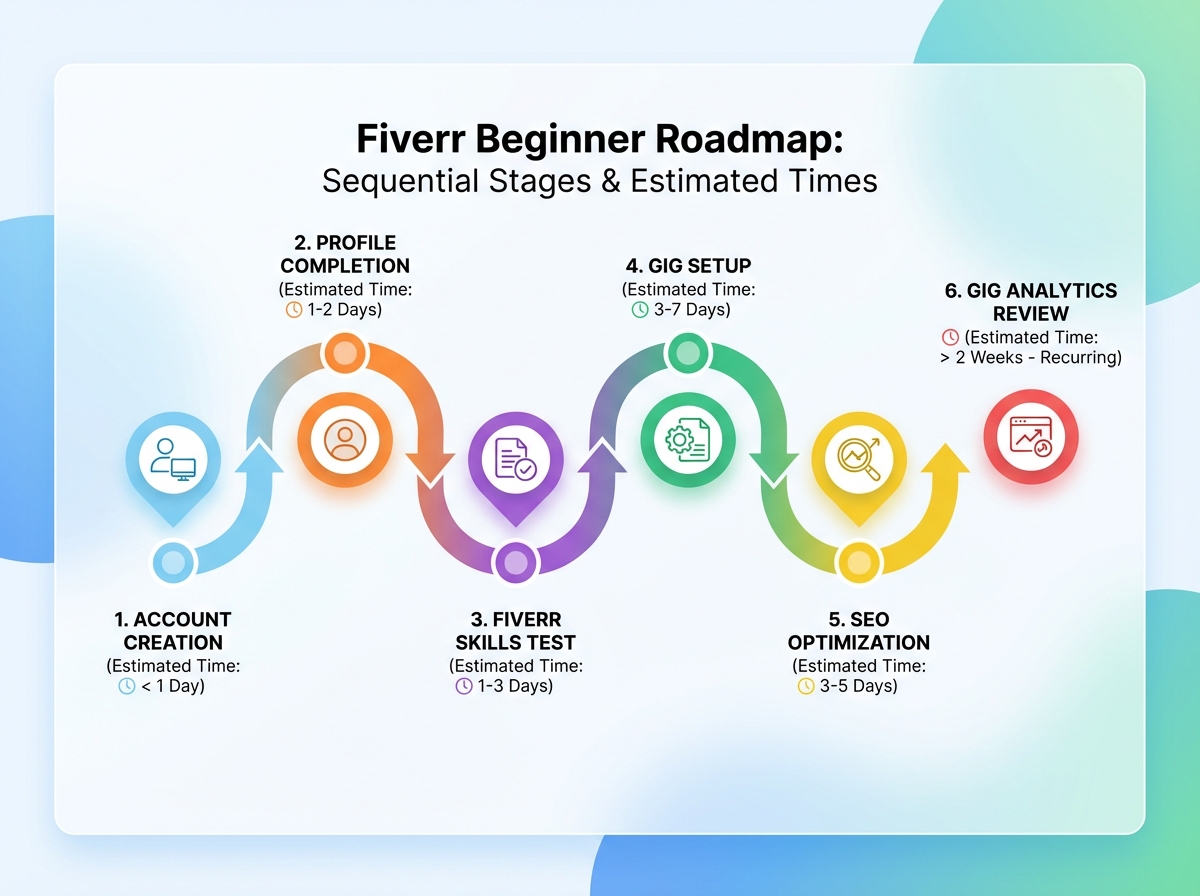
The fastest path from zero to first sale on Fiverr looks like this:
| Stage | What You’re Doing | Estimated Time |
|---|---|---|
| Account & Profile Setup | Creating your account, uploading a photo, writing your bio, adding skills and languages | 1–2 hours |
| Fiverr Skills Tests | Taking relevant tests to appear in filtered search results | 30–60 minutes |
| Gig Creation | Writing your title, setting packages, uploading a thumbnail, writing your description | 2–4 hours |
| SEO Optimization | Researching and placing keywords in your title, tags, and description | 1–2 hours |
| Analytics Review | Monitoring impressions, clicks, and conversion rate after going live | Ongoing, starting day 3 |
| First Sale | Typically arrives after the gig has been live and indexed | Days 3–21 |
| Total to First Sale | ~5–7 hours of focused setup |
Order matters far more than speed here — rushing the gig live before the SEO is right means the algorithm indexes a weak version of your listing. Being slower than this estimate is completely normal; some niches are more competitive, and a few rounds of optimization are part of the process.
Three Things That Surprised Me About How Fiverr Actually Works
- Your gig title is the single most powerful SEO field — more than your description, more than your tags.
- Fiverr’s search filters let buyers sort by seller who passed skills tests, which means skipping the tests costs you a visible slice of search traffic.
- Impressions dropping to zero after going live usually means a tag mismatch, not a quality problem — and it’s fixable in ten minutes.
Why Your Profile Does More Work Than You Think
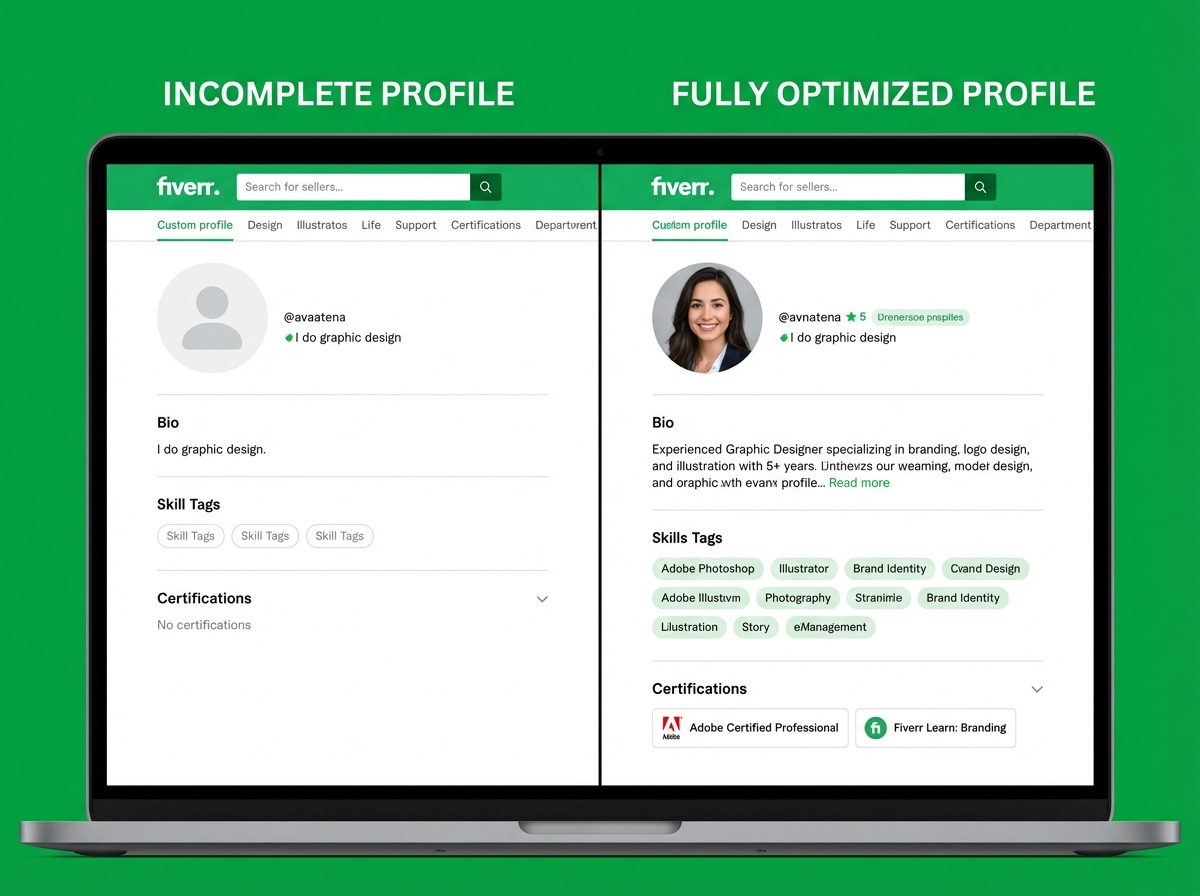
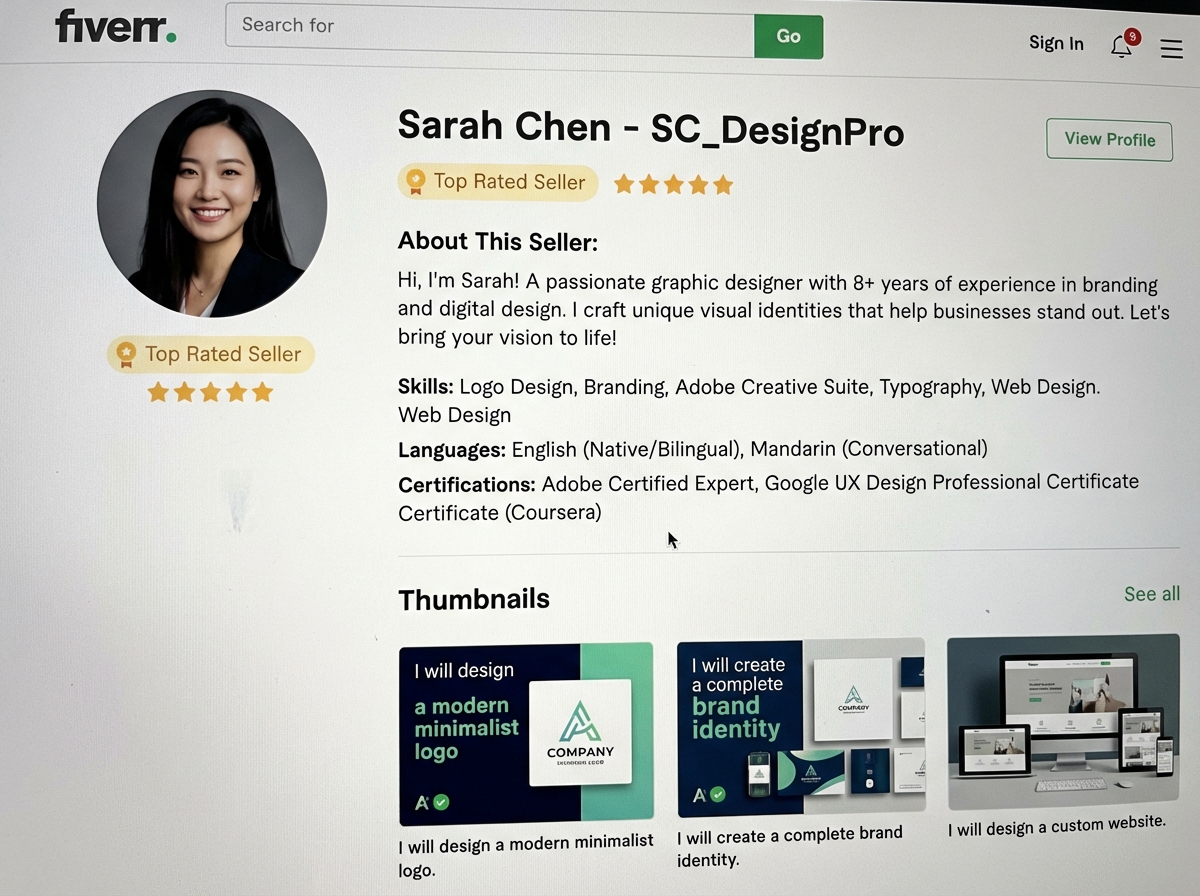
Most new sellers treat the profile as an afterthought — something to fill in quickly before getting to the “real work” of creating gigs. That thinking costs you before you even publish. Fiverr’s algorithm uses profile completeness as a trust signal. A profile with a missing photo, a thin bio, or no listed skills sends a soft suppression signal to the platform, and your gigs get shown to fewer people as a result.
The photo matters more than you expect. It doesn’t need to be a professional headshot, but it does need to be a clear, well-lit image of your actual face. Cartoon avatars and logos consistently underperform — buyers buy from people, and a face builds micro-trust in the fraction of a second before they ever read a word you’ve written.
Your bio should answer one question: why does this seller understand my problem? It’s not a list of credentials. It’s a short, specific statement of what you do, who it’s for, and why you’re good at it. Write it in plain language. Avoid phrases like “passionate professional” and “dedicated to excellence” — they say nothing. Write something specific enough that a buyer in your exact niche would feel like you wrote it for them.
The Gig Setup Mistake Almost Everyone Makes
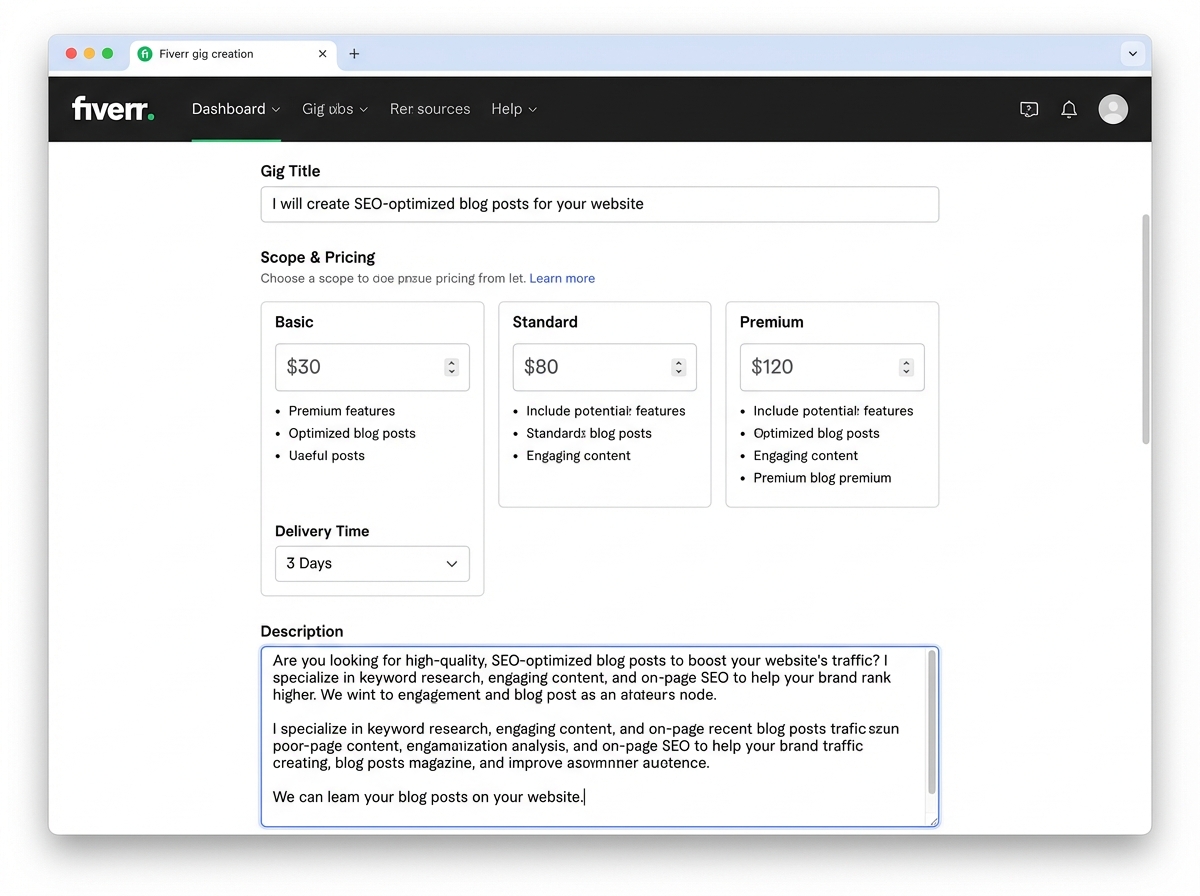
The single biggest mistake new Fiverr sellers make is writing a gig title that describes what they do instead of what the buyer gets. “I will design a logo” is a service description. “I will design a modern minimalist logo for your brand in 24 hours” is a buyer outcome. Fiverr’s algorithm also reads your title as a keyword field — which means “I will design a logo” is throwing away the most valuable SEO real estate on your entire listing.
When I rewrote my first gig title to match how buyers were actually searching — pulling phrases straight from Fiverr’s autocomplete bar — my impressions went up within 48 hours. The gig hadn’t changed. The service was identical. The keyword alignment was the only variable.
For your packages, resist the urge to undercharge dramatically. Pricing at $5 for substantive work attracts low-quality orders and buyers who leave brutal reviews when delivery doesn’t meet their inflated expectations. Price your Basic package at a rate that covers the minimum viable version of your service done well, and build up from there. A $15 Basic with two solid reviews will outsell a $5 Basic with zero reviews because reviews are social proof and price is a quality signal.
How Fiverr SEO Works — and Where to Put Your Keywords
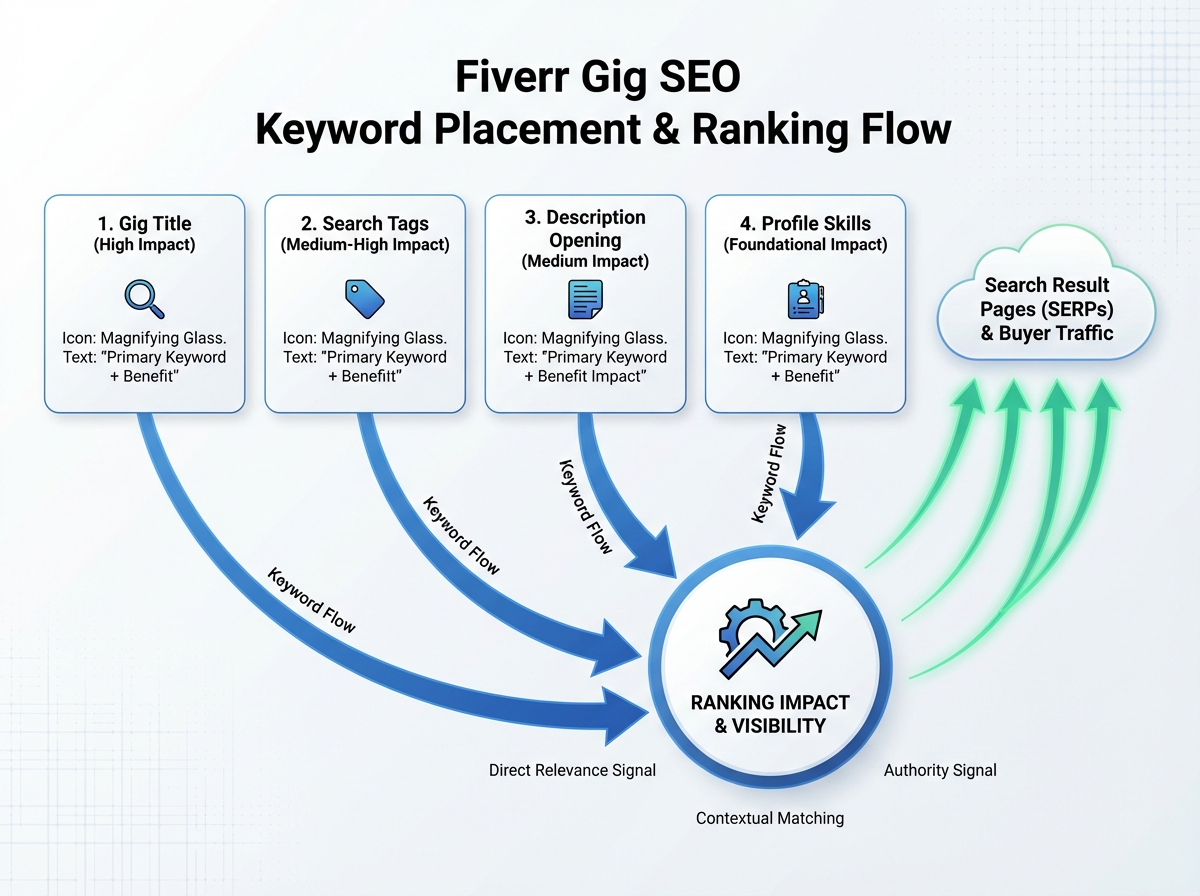
Fiverr SEO for gig optimization is not complicated, but it is specific. There are four places where keywords directly affect your search ranking: your gig title, your tags (you get five), your gig description, and your profile skills section. Missing any one of them leaves ranking potential on the table.
For keyword research, skip external tools at first. Open Fiverr’s search bar and start typing the service you offer. The autocomplete suggestions are real buyer search queries — these are literally the phrases that buyers are already typing. Pick the most specific one that matches your service exactly and build your title around it. Then take the related phrases and distribute them across your tags and the first paragraph of your description.
The description is where most sellers lose the SEO game by writing marketing copy instead of keyword-rich clarity. Buyers are skimming for evidence that you understand their problem. Open with a sentence that contains your primary keyword naturally. Follow with a short bulleted list of exactly what they’ll receive. Close with a clear call to action. That structure satisfies both Fiverr’s crawler and the buyer’s 8-second attention span.
What Fiverr Skills Tests Actually Do to Your Visibility
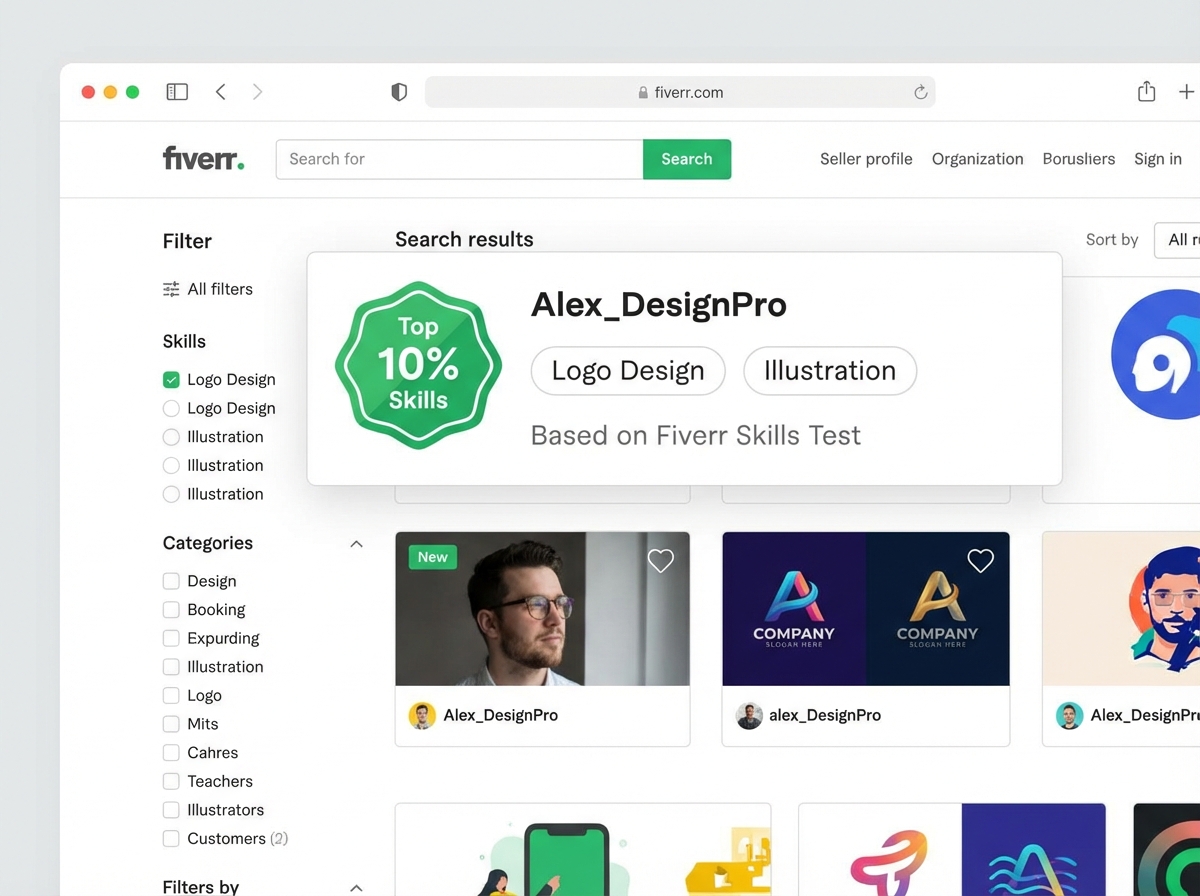
Fiverr offers skills assessment tests in dozens of categories, and most new sellers skip them because they seem optional. They’re not optional if you want to show up in filtered search results. When a buyer clicks the “Top Skills Tests” filter — and many do — your gig only appears if you’ve passed a relevant test. Skipping the tests removes you from that filtered pool entirely.
The tests are multiple-choice and timed. They cover things like grammar, basic design principles, SEO knowledge, or domain-specific skills depending on your category. Scoring in the top 10% places a visible badge on your profile, which functions as a trust signal even to buyers who never use the filter. Scoring in the top 30% still gets you listed in test-filtered searches.
Approach the tests seriously. Review common knowledge in your field before taking them. If you don’t pass with a strong score on the first attempt, Fiverr allows retakes after a waiting period. The time investment is small relative to the visibility gain — especially when you’re starting with zero reviews and need every edge you can get.
Reading Your Gig Analytics Before You Change Anything
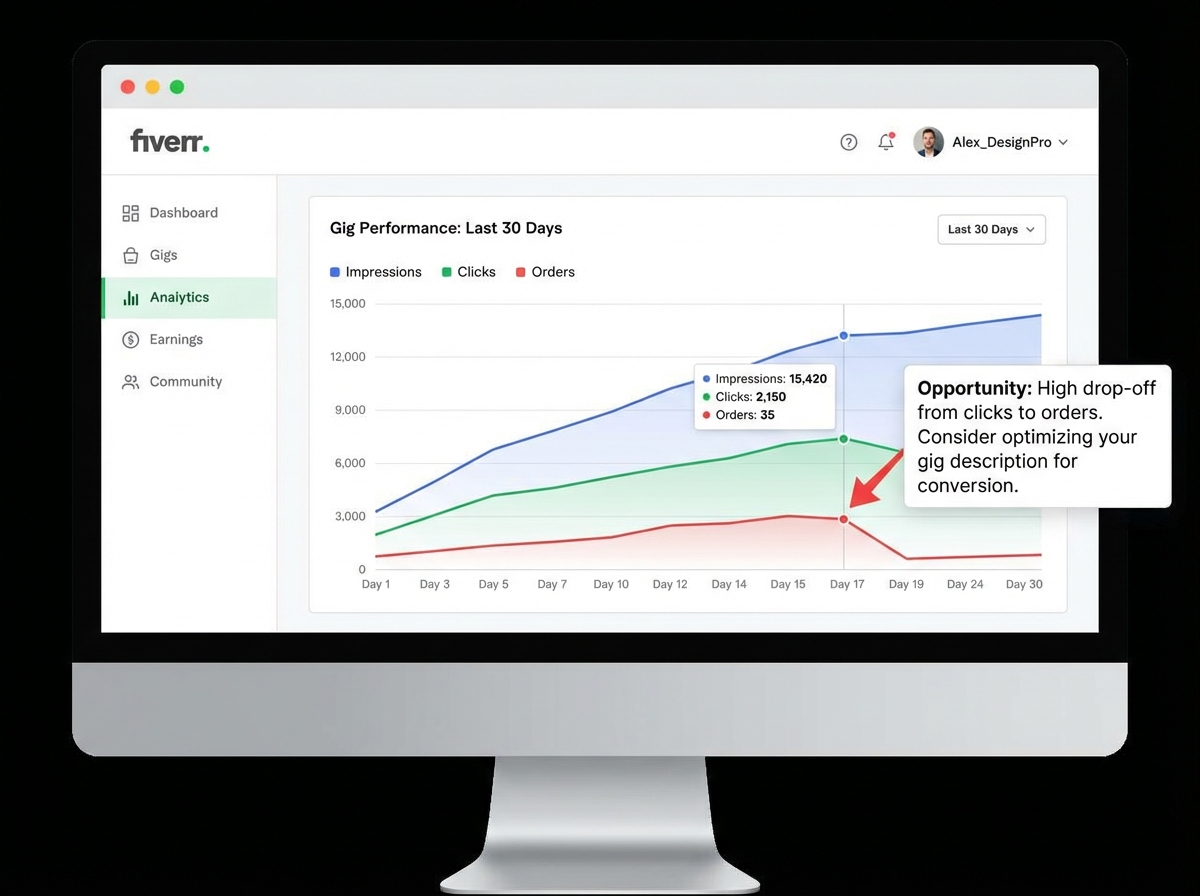
Once your gig is live, the instinct is to wait. The better move is to check your analytics on day three and understand exactly what the numbers are telling you. Fiverr’s gig analytics dashboard shows impressions, clicks, and orders — and the relationship between those three numbers is diagnostic.
High impressions with low clicks means your thumbnail or title isn’t converting — buyers are seeing your gig but not feeling compelled to open it. Fix the thumbnail first: use a clean, readable image with large text that states your service at a glance. High clicks with low orders means your description or pricing is failing to close. Read your description out loud — if it sounds like a brochure, rewrite it like a conversation.
Zero impressions after 48 hours usually means a tag problem or category mismatch. Go back into your gig, review each of your five tags against actual buyer search phrases, and replace any that are too broad or too niche. One precise tag change can move a dead gig from invisible to active in less than a day. The analytics panel is not just a scoreboard — it’s a feedback loop, and sellers who ignore it are debugging blindly.
When to Think About Fiverr Pro — and When Not To
Fiverr Pro is a separate tier on the platform where vetted sellers charge premium rates to business buyers. It’s a legitimate path to higher earnings, but it’s a post-foundation decision. Applying for Pro before you have reviews, a completed portfolio, and a demonstrated track record is wasted energy — Pro applications require evidence of professional-level work, and Fiverr reviews them manually.
What Pro does teach you, even as a new seller, is what premium positioning looks like. Browse Pro gigs in your category. Notice how the descriptions are written — they’re specific, confident, and outcome-focused. Notice the thumbnails — they’re clean, branded, and professional. Use that as a benchmark for your own gig presentation even at the standard level. The gap between a standard gig and a Pro gig is often just presentation clarity, not skill level.
For now, focus entirely on getting your first five to ten reviews. That milestone unlocks something tangible: the algorithm begins to show your gig more consistently, buyers trust you enough to order without message exchanges, and you have real data to optimize from. Everything after that — Pro, Seller Plus, order stacking — becomes progressively more straightforward.
What I’d Tell Anyone Starting Their Fiverr Selling Journey Today
Looking back, the sellers who struggle longest on Fiverr aren’t the ones with weaker skills. They’re the ones who treat setup as a one-time task rather than an iterative process. Every number in your analytics is a question. Every click that doesn’t become an order is a signal. The platform gives you the data — you just have to read it.
Here’s what actually moves the needle, applied immediately:
- Use Fiverr’s autocomplete to pick your gig title keyword — type your service into the search bar and use the exact phrase that auto-populates, because that’s what buyers are already searching for.
- Fill every single profile field before publishing your first gig — profile completion directly affects how widely Fiverr shows your listings, and empty fields are suppression signals you can eliminate in an hour.
- Write your gig title as a buyer outcome, not a service label — include your primary keyword and a specific deliverable in under ten words.
- Place your main keyword in the first sentence of your description — Fiverr’s crawler reads your description opening the way Google reads a meta description, so front-load the relevance.
- Take every skills test relevant to your category before going live — the top 10% badge and filter visibility are both accessible to anyone willing to prepare, and they give zero-review sellers a credibility edge.
- Check your impressions-to-clicks ratio on day three — if impressions are high but clicks are low, your thumbnail is the problem; if clicks are high but orders are low, your description is the problem.
- Set your tags using Fiverr autocomplete phrases, not invented labels — each of your five tags should be a phrase a buyer has actually typed, not a category description you invented yourself.
- Don’t lower your price to zero as your first strategy — buyers use price as a proxy for quality at the browsing stage, and rock-bottom pricing attracts the orders that are hardest to complete and most likely to result in a bad review.
Leave a Reply