


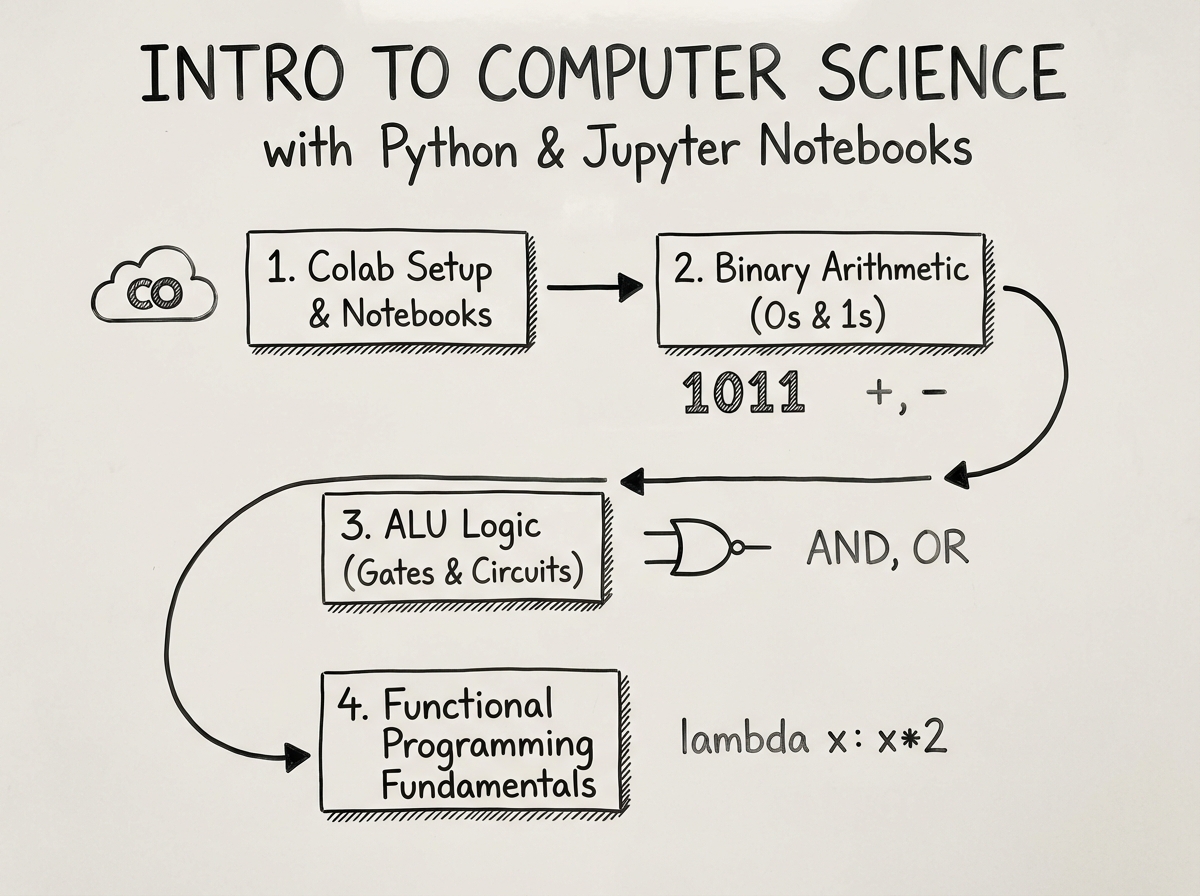
The first time you open a Jupyter Notebook, you don’t feel like a programmer. You feel like someone who accidentally wandered into a cockpit and is now expected to fly the plane.
If you’re looking to learn computer science with Python, the honest answer is that Jupyter Notebooks running on Google Colab are the fastest, lowest-friction entry point available right now. You don’t install anything. You don’t configure environments. You open a browser, start a notebook, and write code that runs immediately. The concepts — arithmetic, loops, symbolic algebra, binary number systems — are hard enough on their own. The setup doesn’t need to add to that.
- Start with zero programming experience: Jupyter on Colab removes every setup barrier so the first session is about thinking, not troubleshooting
- The biggest early wins come from arithmetic and numerics — not syntax memorization — because they show you immediately what a computer actually does with numbers
- Understanding how the CPU, ALU, and Memory Unit relate to each other changes how you read every line of code you’ll ever write
What “Computer Science with Python” Actually Means for a Beginner
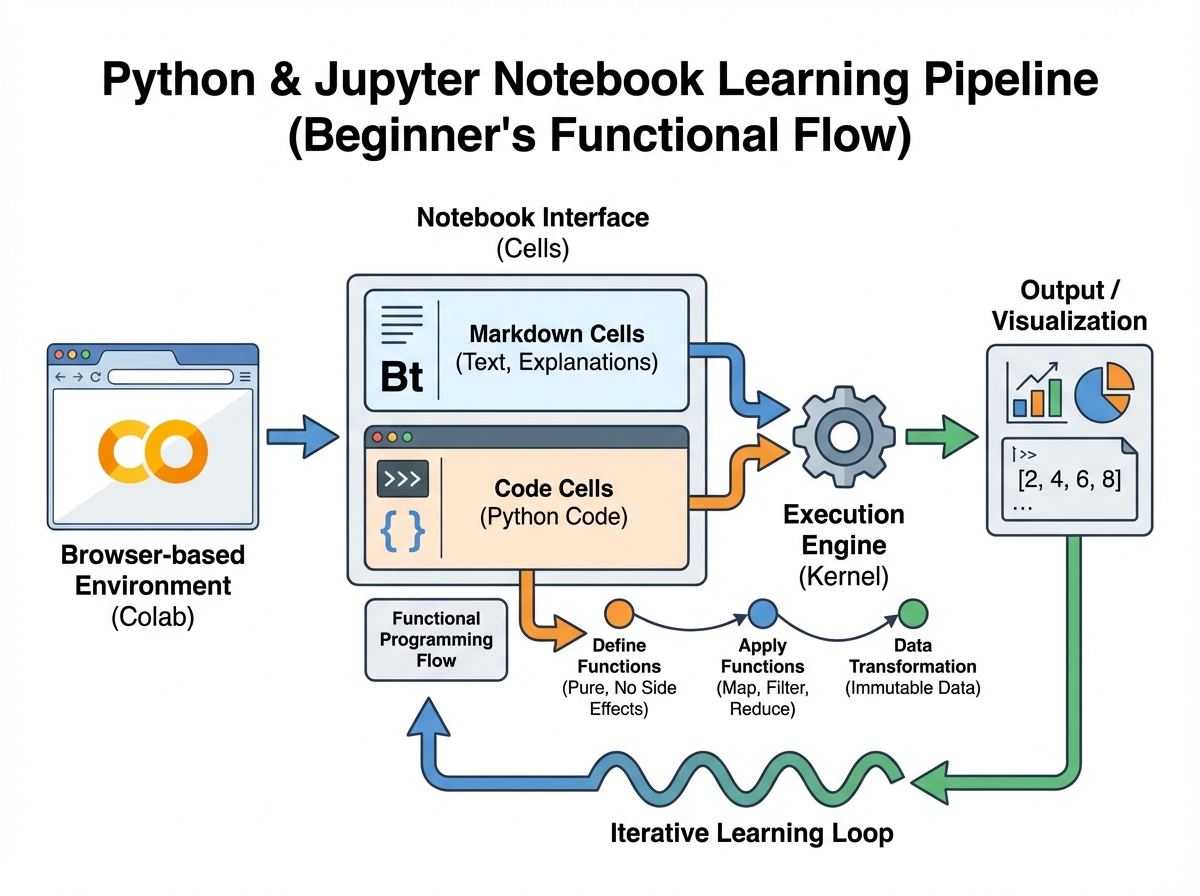
Computer science is not the same as programming. Programming is one tool inside a much larger discipline that asks: how do machines process, store, and act on information? When you learn Python inside a Jupyter environment for the first time, you’re not just learning a language — you’re learning to think in a way that mirrors how hardware actually works.
For a complete beginner, there are two distinct layers to keep straight:
- Functional programming in Python — writing instructions that take inputs, process them, and return outputs, without worrying about objects or classes yet
- Computer science fundamentals — how the CPU directs traffic between the Arithmetic Logic Unit (ALU), the Memory Unit (MU), and input/output devices; why binary and hexadecimal exist; what Boolean logic actually is
| Layer | What You’re Learning | Why It Matters |
|---|---|---|
| Python syntax | Variables, loops, expressions, equations | You need this to write anything |
| Jupyter environment | Code cells, Markdown cells, Colab execution | This is where your code lives |
| CS theory | CPU, ALU, MU, binary, hex, Boolean logic | This explains why code works the way it does |
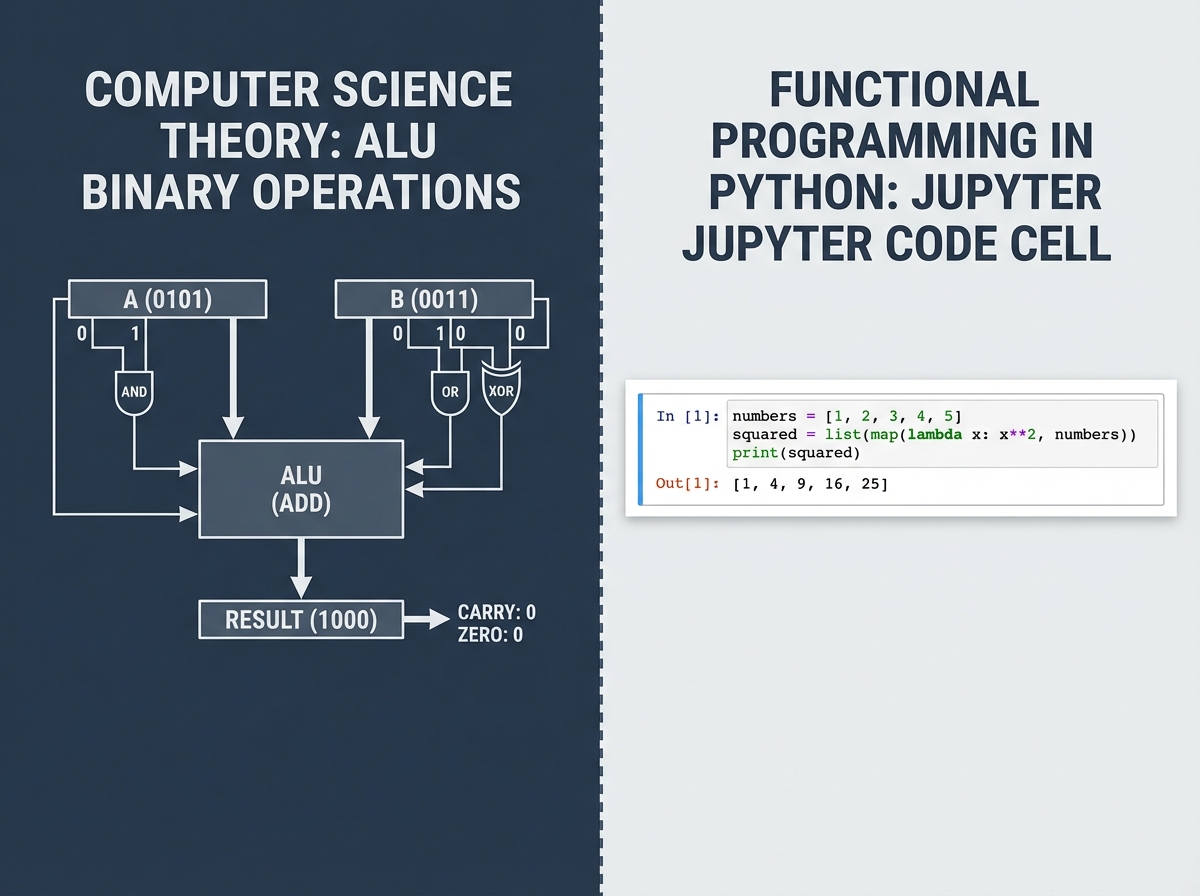
Most people skip the theory layer entirely. That’s the mistake that comes back to bite them six months in, when they can write a loop but have no idea why integer overflow happens or why certain operations are slower than others.
Three Things That Will Surprise You
- Markdown in a Jupyter cell is not decoration — it’s how you think through a problem before you code it
- Binary arithmetic is easier to understand through Python loops than through textbook diagrams
- The ALU doesn’t “do math” — it does Boolean logic, and everything else is built on top of that
The Learning Timeline: What to Expect and When
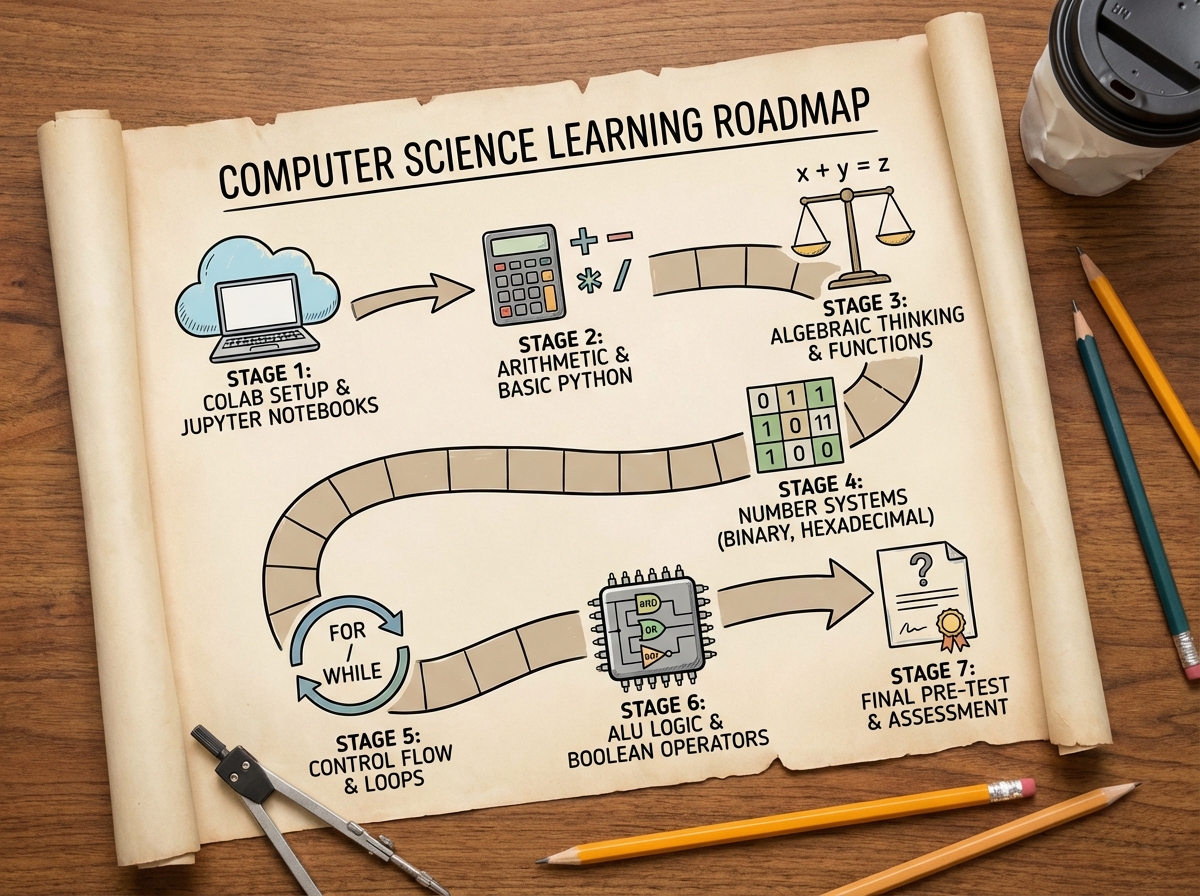
| Stage | Content | Time |
|---|---|---|
| Environment setup | Google Colab, first notebook, code vs. markdown cells | 1–2 hours |
| Arithmetic & numerics | Python expressions, integer types, decimal conversions | 3–5 hours |
| Algebra & symbolics | Variables, symbolic manipulation, equation solving | 4–6 hours |
| Number systems | Binary, decimal, hexadecimal conversions in both directions | 4–6 hours |
| Loops & binomials | Iterative thinking, loop structure, binomial patterns | 3–5 hours |
| ALU & Boolean logic | Adding, subtracting in binary, logical comparisons | 4–6 hours |
| Pre-test & review | Consolidation, identifying gaps | 2–3 hours |
| Total | Full Unit 01 foundation | 21–33 hours |
Order matters far more than speed here — each stage reuses the mental model from the one before it, so skipping ahead to binary arithmetic before you’re solid on Python numerics means two things break at once. If the timeline above takes you twice as long, that’s not a sign you’re struggling — it’s a sign you’re actually learning instead of just watching.
Why the Notebook Environment Changes Everything
There’s a specific moment every new programmer hits: you write a line of code and you have no idea if it did what you thought it did. In a traditional terminal, you’d have to print explicitly, run the file, interpret the output, and go back. In Jupyter, that feedback loop collapses. You run a cell, you see the result immediately, right beneath the code that produced it.
This isn’t just convenience. It changes how you think about code. You stop writing programs and start running experiments. You write one expression, see what it returns, modify it, run it again. That’s not a beginner hack — that’s exactly how professional data scientists and researchers use Python every single day.
The Markdown cells alongside the code cells matter just as much. When you write a heading or a short explanation above a block of code, you’re forced to articulate what the code is supposed to do before you write it. That habit — naming the intention before solving the problem — is one of the most valuable things you can build early, and most people only discover it after years of writing uncommented spaghetti code.
For Python on Jupyter beginners, Google Colab removes the last obstacle: no installation, no package management, no virtual environment confusion. The notebook lives in your Google Drive. You open it from any machine. You share it with a link. That accessibility matters most in the first two weeks, when the cognitive load of learning Python is already high enough without adding infrastructure problems on top.
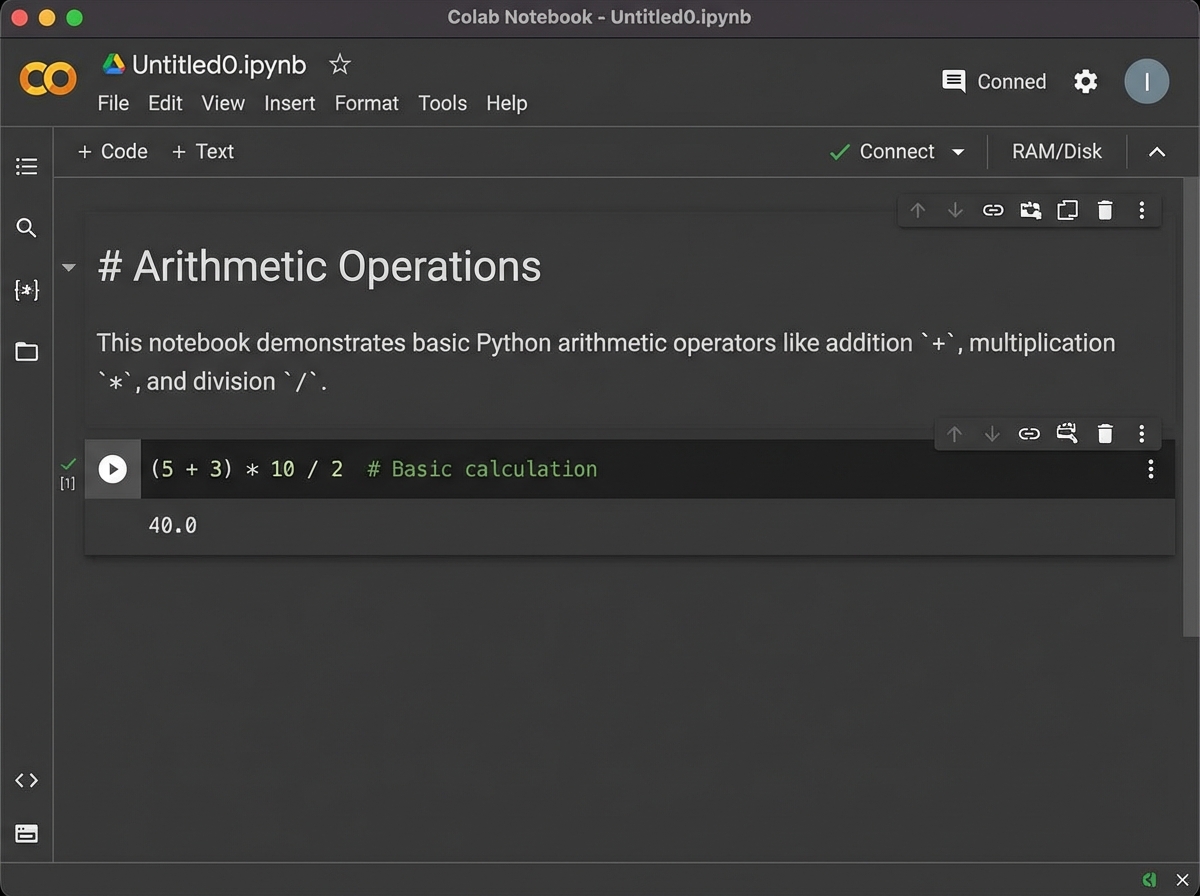
The Arithmetic Lab: Where You Actually Start Thinking Like a Computer
The biggest mistake people make when starting computer science with Python is treating the arithmetic exercises as trivial. They see 2 + 3 and think they’re being walked through material they already know. They rush past it. Then they hit integer division, modular arithmetic, or type coercion and they’re lost — not because the concept is hard, but because they skipped the phase where Python’s relationship with numbers was supposed to become intuitive.
Arithmetic in Python is not just math. It’s the moment you realize the machine doesn’t think in fractions — it thinks in types. An integer divided by another integer used to give you a truncated integer in older Python versions. That behavior, and why it existed, traces directly back to how the ALU processes numbers in binary. When you’re doing those early labs on arithmetic and numerics, you’re not doing warm-up exercises. You’re building the conceptual bridge between what you type and what the hardware actually computes.
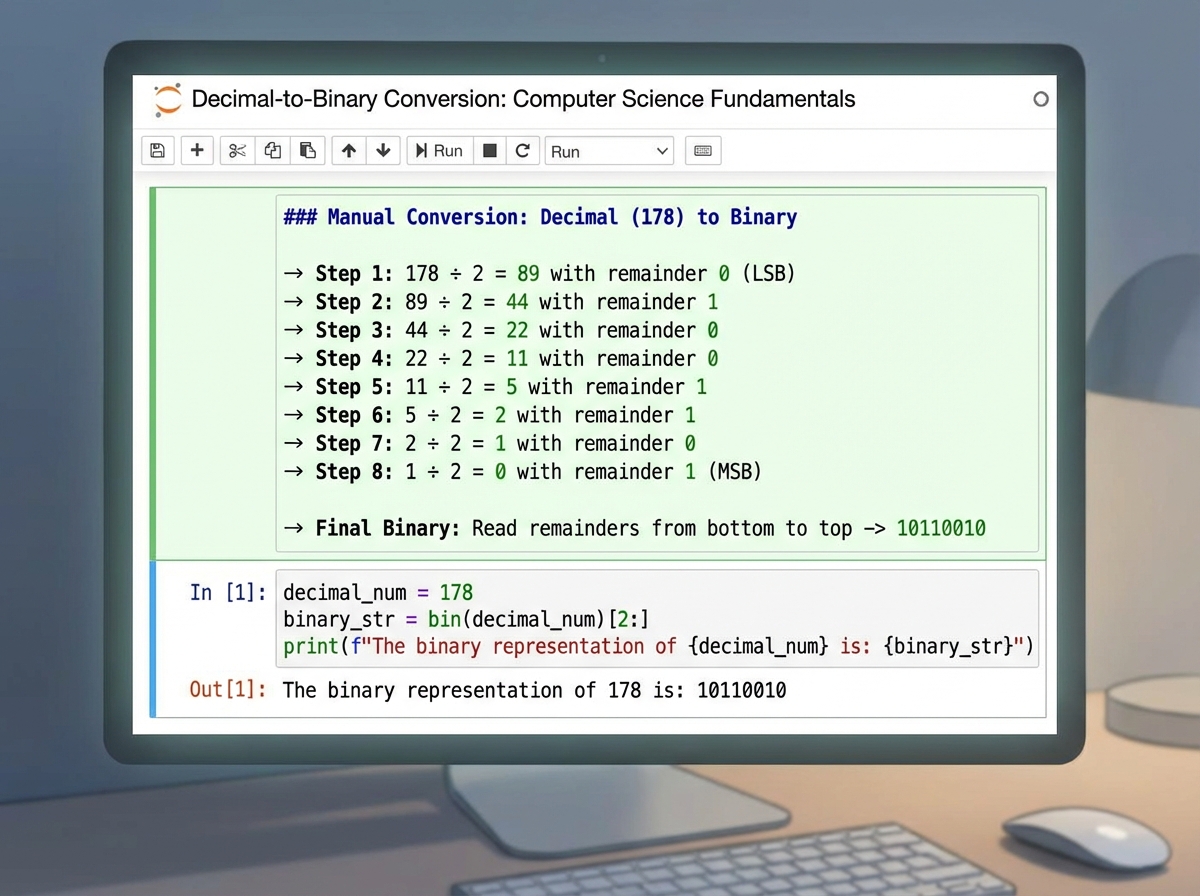
The conversion labs — converting numbers to and from decimal — are where that bridge gets tested. Going from decimal to binary by hand using repeated division, then checking your work with Python, creates a kind of double understanding that neither method alone produces. You understand the algorithm because you ran it manually. You trust it because the computer confirmed it. That combination sticks.
Algebra, Symbolics, and the Moment Loops Stop Being Scary
Algebra inside a programming environment feels strange at first. In math class, you solve for x. In Python, x already has a value — you assigned it. That conceptual flip trips up almost everyone coming from a pure math background. A variable in Python isn’t unknown; it’s a label pointing to a stored value. Once that clicks, the symbolic manipulation labs start making sense at a different level.
Loops arrive not long after, and they arrive alongside binomials — which is an unusual pairing, but a smart one. A binomial expansion is the kind of thing that would take a human several steps to compute by hand. In Python, a loop does it in four lines. The moment you see that — when the computation you’d spend ten minutes doing manually runs in a fraction of a second — is when you stop thinking of code as “writing instructions” and start thinking of it as leverage. You’re not telling the computer what to do step by step. You’re defining a pattern and letting it run.
This is also the moment where equation-solving labs start to feel less like homework and more like tools. Writing a Python expression that solves a linear equation is the functional programming equivalent of using a formula. You’re defining the relationship, and the machine handles the arithmetic. Understanding this early means you skip the phase where people learn programming as rote syntax and never connect it to the problems they actually want to solve.
The CPU, ALU, and Memory Unit — Why This Isn’t Just Theory
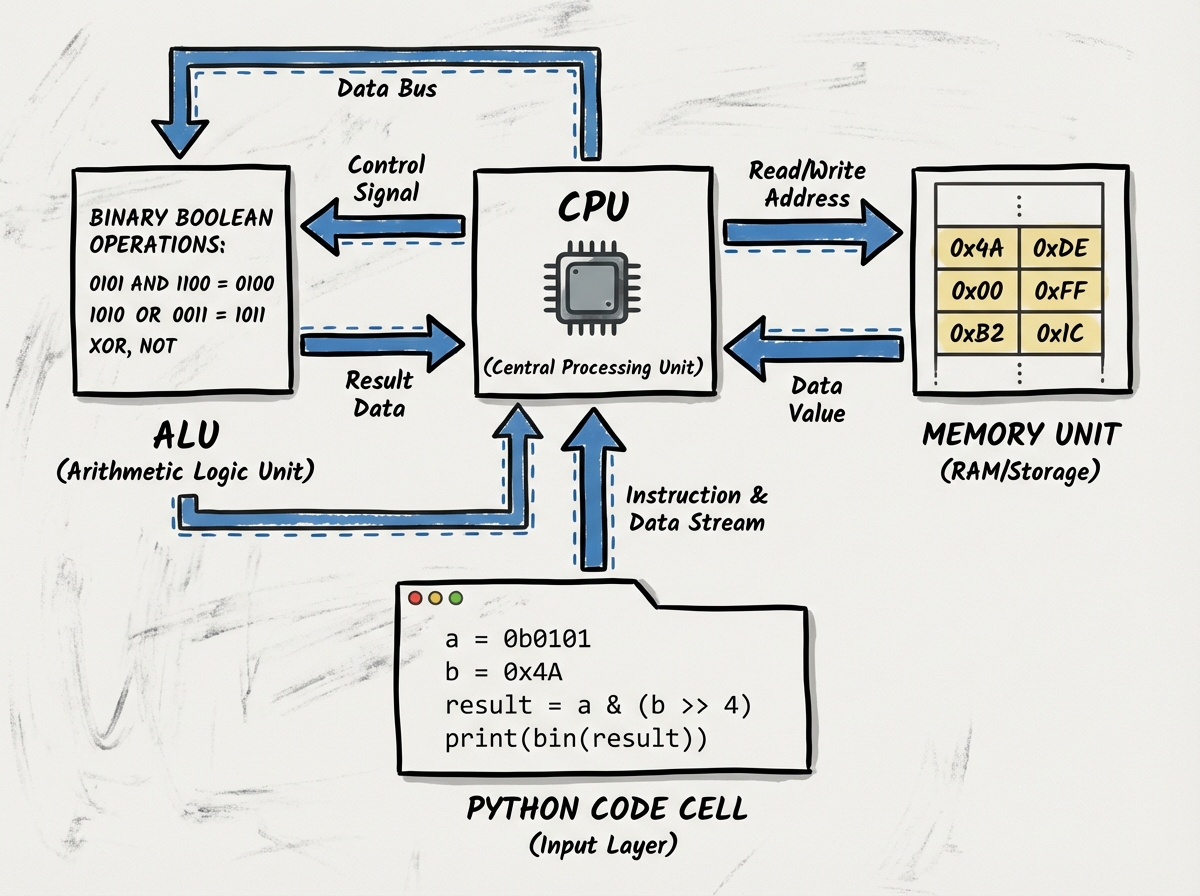
Most introductory programming resources skip the hardware layer entirely. They teach you variables without explaining that a variable is a named location in memory. They teach you arithmetic without explaining that the CPU delegates every calculation to the ALU. They teach you loops without mentioning that each iteration is a fetch-decode-execute cycle happening millions of times per second.
When you understand that the ALU operates entirely in binary — that it doesn’t know what the number 7 is, only the bit pattern 0111 — the entire chapter on binary arithmetic stops being abstract. You’re not learning a curiosity about a different number system. You’re learning the native language of every calculation your code will ever ask a computer to perform. And when you learn that the Memory Unit stores data in hexadecimal for human readability, while the hardware still processes it in binary underneath, the hex conversion labs shift from confusing to obvious.
The how to pass the PCEP exam pathway builds directly on this kind of foundational understanding — the certification tests not just Python syntax but your ability to reason about how Python executes code, which is exactly the kind of thinking the hardware layer builds.
Boolean logic — AND, OR, NOT, comparisons — is the last piece of the ALU picture. Every conditional statement you write in Python, every comparison, every loop condition, reduces to Boolean operations at the hardware level. Understanding that if x > 5 is ultimately a subtraction followed by a sign check in the ALU doesn’t just satisfy curiosity. It makes you a more precise programmer, because you understand exactly what the machine is doing when it decides whether a condition is true.
What Adding and Subtracting in Binary Actually Teaches You
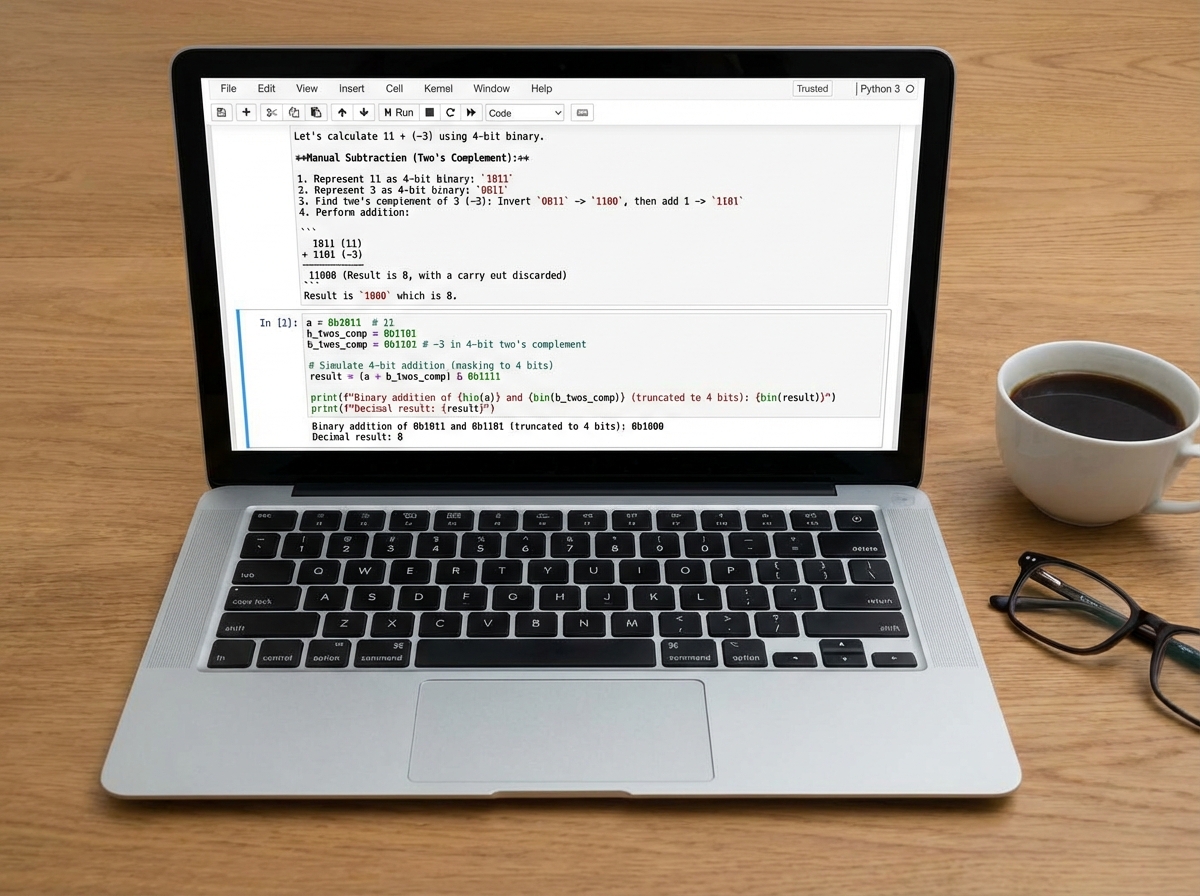
There is no better way to understand overflow errors, signed integers, and why computers sometimes return unexpected results than by doing binary addition and subtraction by hand and then writing the Python equivalent. It sounds tedious. It’s actually the clearest possible demonstration of what a computer does internally every time your code runs a mathematical operation.
The carry bit in binary addition is the precursor to understanding how integers overflow. When you run out of bits to carry into, the value wraps around — and you’ve seen exactly why that happens, because you did the same addition manually three exercises ago. The two’s complement system for handling negative integers is another moment where manual work pays off. Subtracting in binary using two’s complement feels like a trick the first time. After a few exercises, it feels like the only logical way to design a system that handles both positive and negative numbers with the same circuitry.
Python’s integer type handles most of this invisibly — Python integers can grow arbitrarily large, unlike C or Java integers with fixed bit widths. But the underlying logic still governs how operations work, and understanding it means you can reason about performance, precision, and behavior in ways that people who skipped the binary layer simply cannot.
Looking Back at What Actually Mattered
A few months in, the things that feel trivial at the start turn out to be load-bearing. The arithmetic labs weren’t practice runs — they were building the mental model for every loop, every comparison, every function argument you’d encounter later. The binary and hex sections weren’t trivia — they were the reason half of Python’s behavior around numbers makes sense instead of looking arbitrary.
The Jupyter environment itself shaped how you think about code: as something you interact with iteratively, not something you write once and run. That habit — run a small thing, check it, build on it — is the single most productive pattern in any kind of programming work.
Here are the most useful things you can do right now to build on this foundation:
- Open a new Colab notebook and write Markdown before you write code — describing what you’re about to do forces clarity that rushing to the code cell doesn’t
- Redo the decimal-to-binary conversion by hand, then verify in Python — doing it twice in two different modes is what makes it permanent
- Write a loop that counts in binary from 0 to 15 and prints each step — it synthesizes numerics, loops, and number systems into a single exercise
- Look up what
type()returns for different Python values — understanding types at this stage prevents an entire category of bugs later - Trace one CPU fetch-decode-execute cycle on paper using a simple Python addition — map each step to what the ALU and Memory Unit actually do
- Rewrite one of your equation-solving labs using a function instead of a bare expression — this is the first step toward thinking in reusable code
- Write Boolean expressions in Python that match AND, OR, and NOT truth tables — connecting Python syntax to the ALU operations you studied closes the loop between hardware and code
- Use a Markdown cell to explain every block of code you write from now on — the habit of annotating as you build is what separates readable code from code only you can understand
Leave a Reply