


The first time you run a Python script and it actually does something, there’s this strange mix of relief and disbelief. You typed a few lines, hit run, and the computer responded. It sounds trivial until it happens to you.
If you’re looking to learn Python from scratch, the honest path forward is less about finding the perfect resource and more about surviving the first week without quitting. Python is genuinely beginner-friendly — but beginner-friendly doesn’t mean frictionless. The language rewards people who push through the early confusion of indentation errors, scope bugs, and data type mismatches. Once you’re past that threshold, everything starts to compound fast.
- You don’t need math skills or a CS degree — you need the ability to read error messages without panicking
- The first real milestone isn’t “Hello World” — it’s the moment you debug your own code without asking for help
- Game programming isn’t a detour from “real” Python — it’s the fastest way to internalize everything that matters
What Python Actually Is for a Complete Beginner
Python is a high-level, interpreted programming language — which means you write something close to plain English, and the computer figures out the rest behind the scenes. For someone with zero coding experience, this distinction matters more than it sounds. You’re not writing machine instructions. You’re writing logic, and Python translates it.
What separates Python from other first languages isn’t syntax simplicity alone. It’s that the feedback loop is immediate. You write a line, you run it, you see what happens. There’s no lengthy compile step standing between your idea and its result.
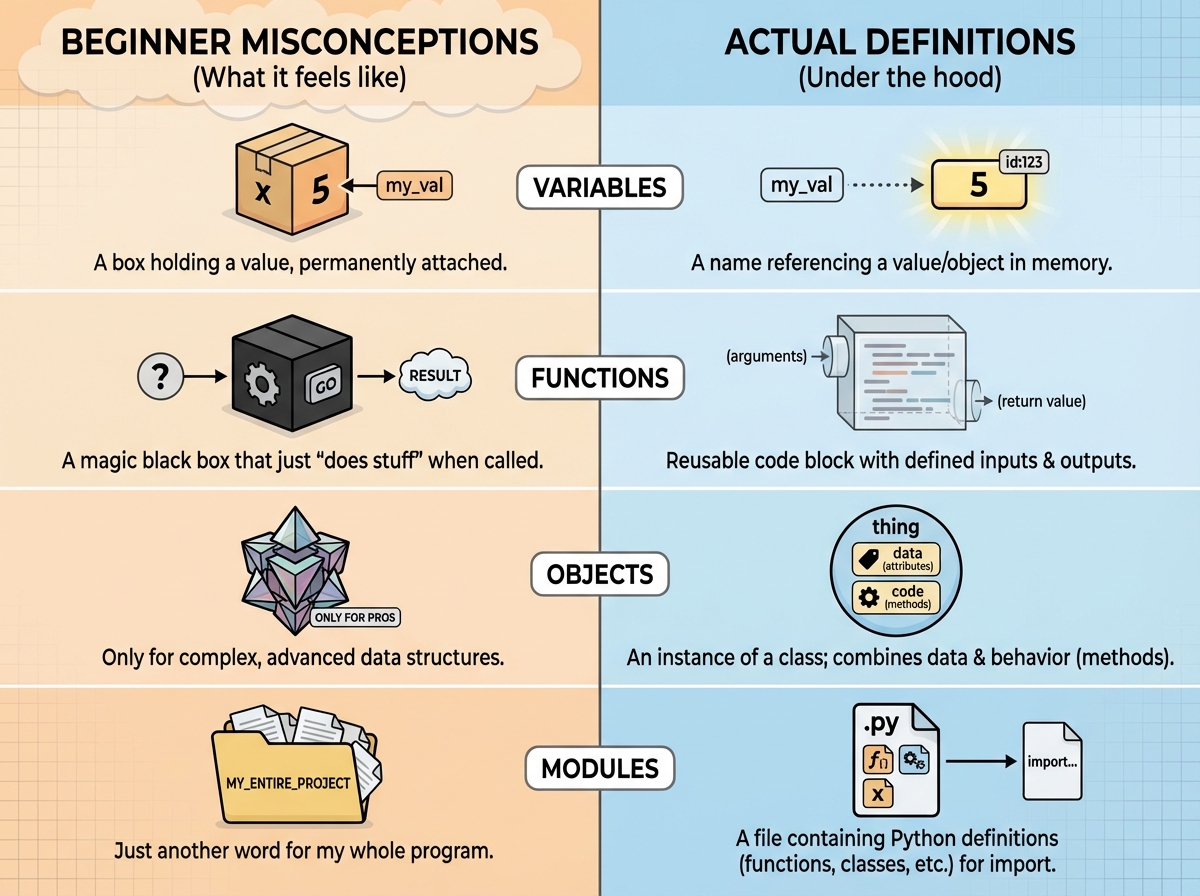
| Concept | What beginners think it means | What it actually means |
|---|---|---|
| Variable | A box that holds a number | A named reference to a value in memory |
| Function | A chunk of code with a name | A reusable block that can take input and return output |
| Object | A confusing advanced topic | A bundle of data and behavior that mirrors real-world things |
| Module | Something you import | A file of pre-written Python code someone else built for you |
Three Things Nobody Tells You Before You Start
- Indentation in Python isn’t a style choice — it’s literal syntax that will break your code if wrong
- The order you learn concepts matters more than how fast you learn them
- You will write broken code for weeks before writing working code — that is the process, not a sign you’re failing
How Long It Actually Takes to Learn Python Basics
| Stage | Content | Time |
|---|---|---|
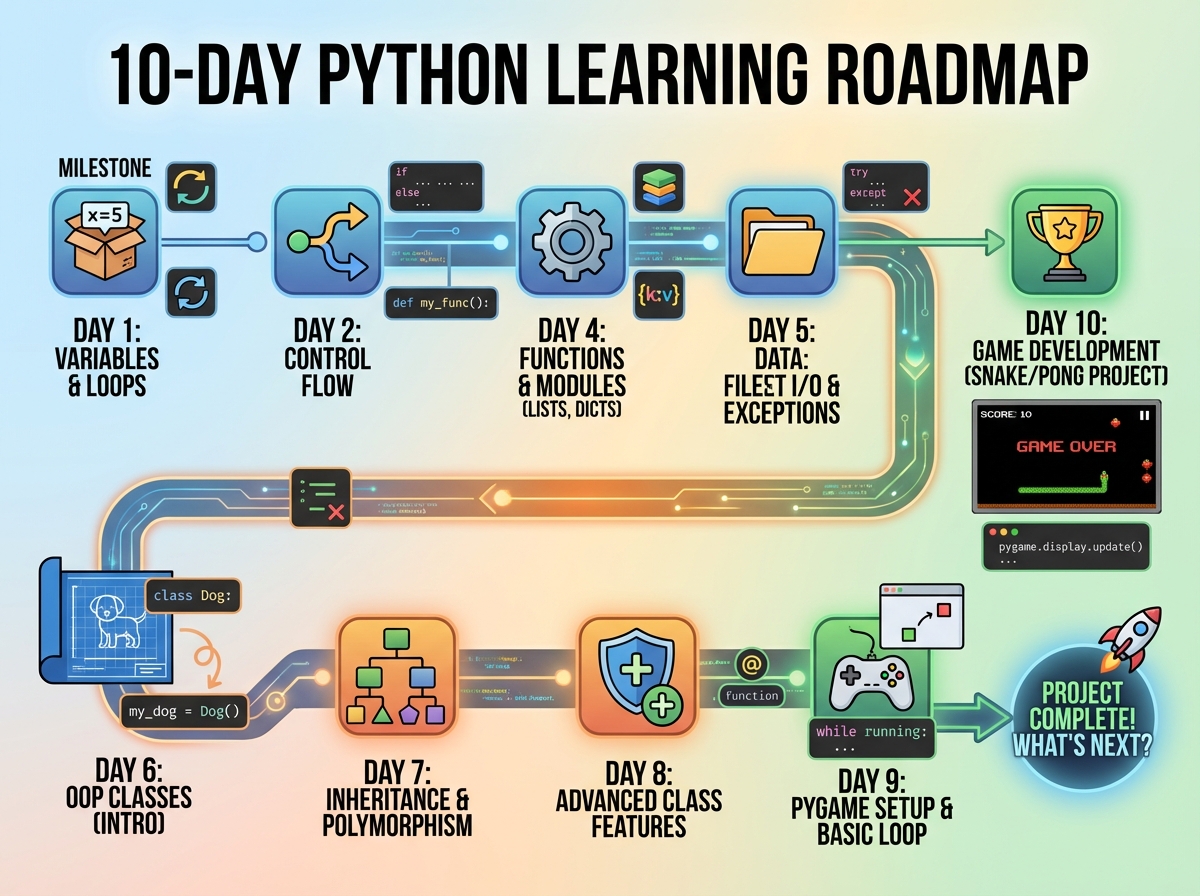
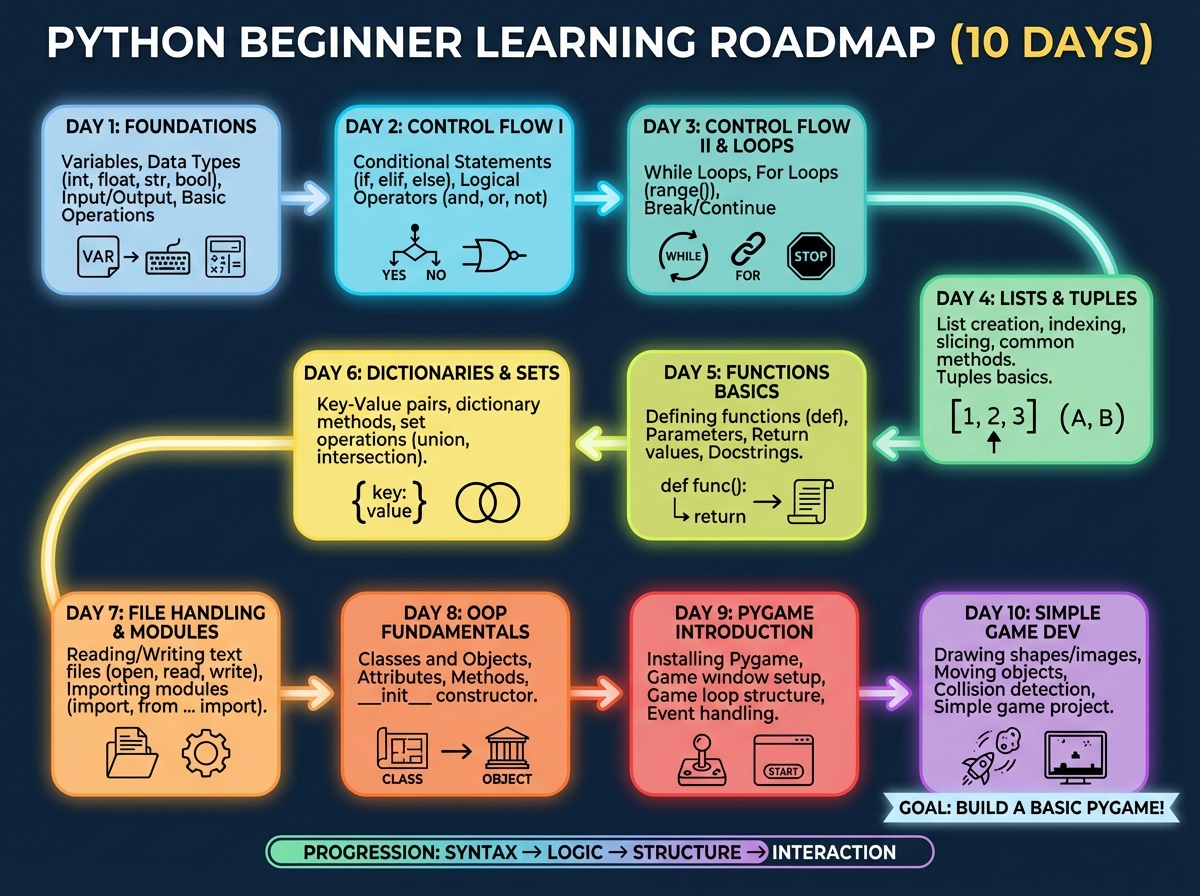
| Day 1 | Variables, data types, conditionals, user input | ~2 hours |
| Day 2 | Loops, lists, functions, scope | ~2 hours |
| Day 3 | Dictionaries, return values, string/number methods | ~2 hours |
| Day 4 | Modules, game loop, RPG project (text-based) | ~2 hours |
| Day 5 | Classes, objects, OOP fundamentals, inheritance | ~2 hours |
| Day 6 | OOP applied to the RPG — rebuilding with classes | ~2 hours |
| Day 7–8 | Virtual environments, pip, pygame, graphics and animation | ~4 hours |
| Day 9 | Sprites, collision, game completion | ~2 hours |
| Day 10 | Algorithm challenges, Project Euler problems | ~2 hours |
| Total | Full beginner-to-functional Python journey | ~20 hours |
The order here matters more than the pace. A concept like classes will feel impossible if you haven’t spent real time inside functions first. If you’re moving slower than this estimate, that’s not a problem — it usually means you’re actually thinking about what the code is doing instead of just copying it.
The First Day Always Feels Deceptively Easy
Day one has a seductive quality. Variables make sense. Data types feel logical. You write an if/else statement and think — okay, I get this. And you do get it, sort of. But this is the stage where most people make the first real mistake: they mistake recognition for understanding.
Recognizing that x = 5 stores a value is not the same as understanding what happens when you try to add a string to an integer, why Python throws a TypeError, and how to cast one type into another to fix it. The difference between knowing a concept and being able to use it under pressure becomes clear the moment you’re given a blank file and told to build something.
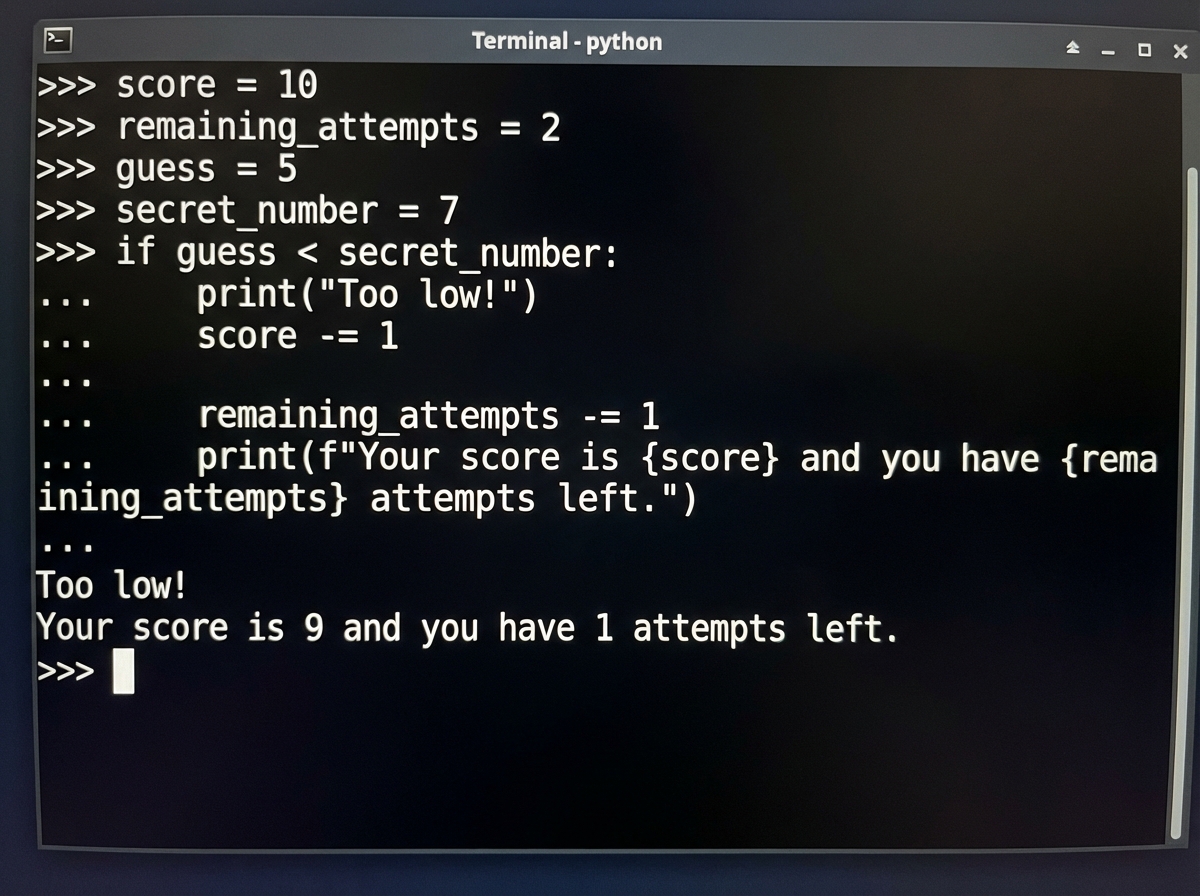
The f-string is one of those small things that seems cosmetic until it isn’t. Once you’re building a game that prints dynamic status updates to a player, you’ll use f-strings constantly — and if you skipped past them on day one because they seemed optional, you’ll pay for it later. These early details are load-bearing.
Where Loops and Functions Either Click or Collapse
The biggest mistake people make when learning Python for beginners is treating loops and functions as separate, unrelated tools. They’re not. The real power starts when you nest them together — looping through a list inside a function that returns a processed result. That combination is the building block of almost every useful program you’ll ever write.
Loops are the first place where people hit genuine confusion. Not because the syntax is hard, but because the mental model of “the computer doing something repeatedly until a condition changes” requires a different way of reading code. You have to stop reading line by line and start reading it as a process that unfolds over time.
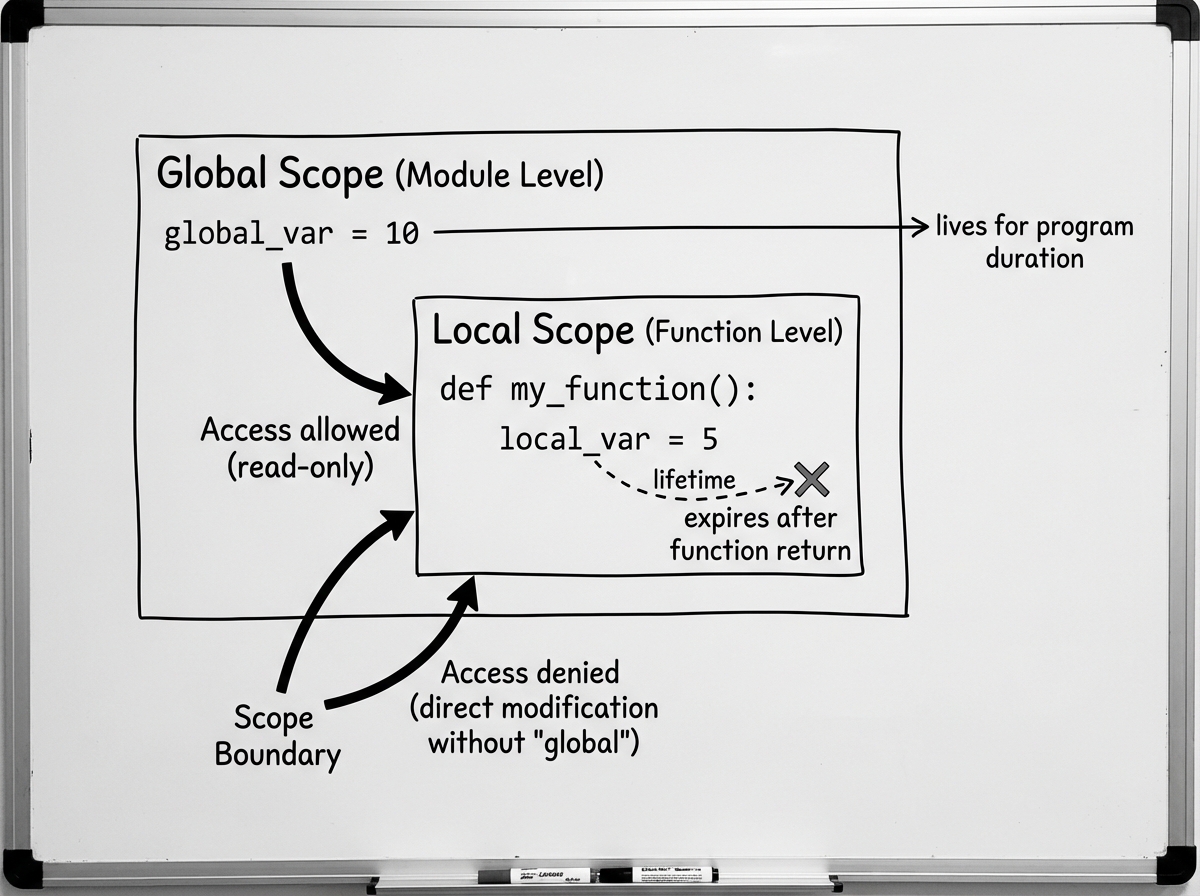
Functions introduce scope, and scope is where things quietly break in ways that are hard to diagnose. You define a variable inside a function, try to use it outside, and nothing works. You add the global keyword as a quick fix, which sometimes creates worse problems downstream. Understanding why scope exists — that it keeps your code from accidentally overwriting values — is more valuable than memorizing the syntax to work around it.
Once you’ve written a function that takes a list, processes each element in a loop, and returns a new list, you’ve crossed a threshold. Everything after that is variation on a pattern you already understand. For those who want to go deeper into structured programming with Python, learning computer science with Python and Jupyter Notebooks builds directly on these same foundations.
Dictionaries Are the Data Structure That Changes Everything
Lists make sense immediately. Dictionaries take longer. Not because they’re complex — they aren’t — but because beginners struggle to see why you’d use one over a list until you’re deep inside a project that needs one.
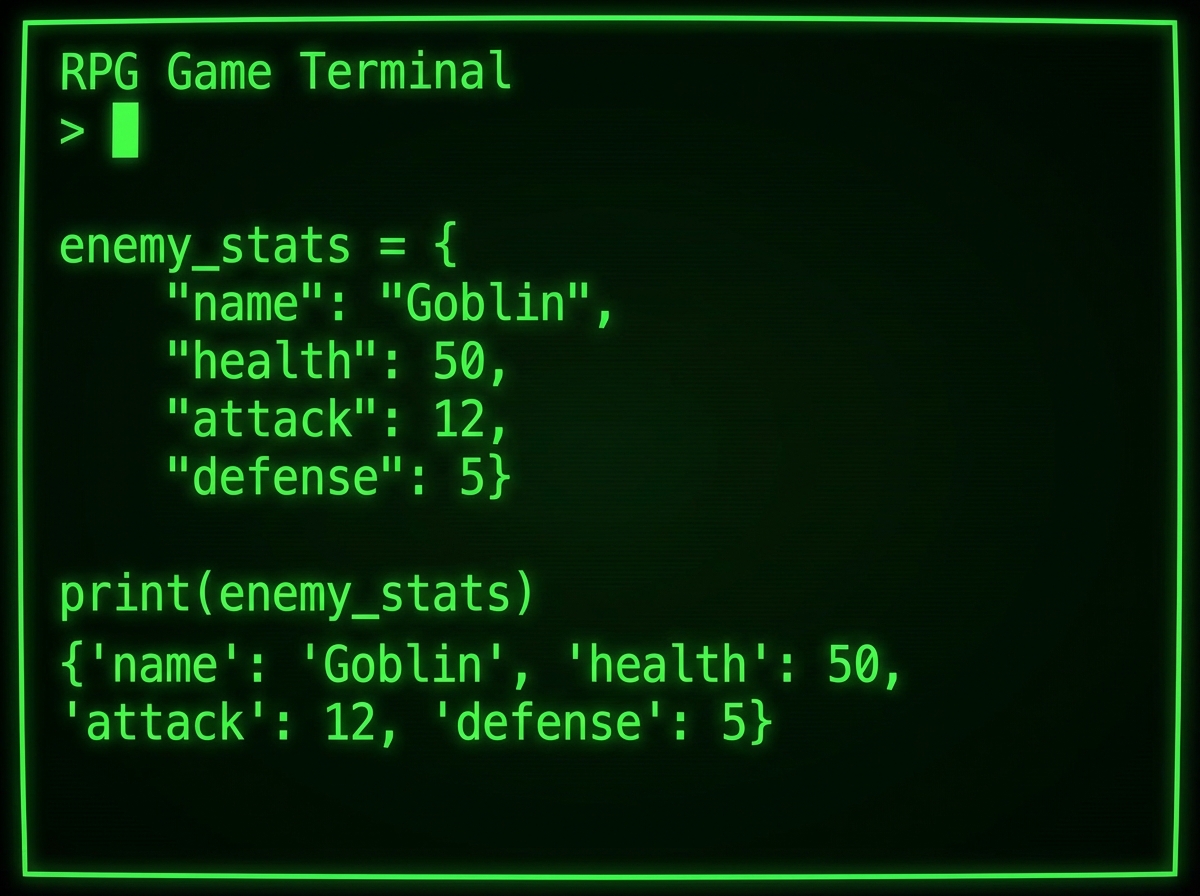
The moment that changed things for me was building a game enemy. Using a list to store a character’s stats — health, attack power, name — meant accessing enemy[0] for health and enemy[2] for attack. That works until you add a property, rearrange the order, or pass the data to another function. Everything breaks. The dictionary version, with named keys like enemy["health"], is readable, flexible, and self-documenting. The list version is a maintenance trap.
Dictionaries with lists, and dictionaries inside loops, are where Python starts to feel genuinely powerful rather than educational. Building a grocery store system or a shop inventory — looping through a dictionary, checking quantities, updating values — is the kind of low-stakes project that installs real intuition.
The Text-Based RPG Is the Real Curriculum
Day 4 is where everything becomes real. You’ve learned variables, loops, functions, and dictionaries — and now you’re combining all of them to build an actual game. No graphics, no library magic, just logic. And the logic is unforgiving.
Building a battle engine teaches you something that no isolated exercise can: the cost of poorly structured code. When your fight() function is tangled with game state that it shouldn’t know about, adding a new feature — like a potion — requires touching code in four different places. When you refactor it properly, the potion takes ten lines. That experience teaches architecture more viscerally than any explanation of it.
The section on mutation, reference, and value is the moment most beginners discover they’ve been misunderstanding variables since day one. When you pass a dictionary into a function and modify it inside, the change persists outside the function. That’s not a bug — it’s how Python handles mutable objects. But until you understand it, you’ll create bugs that are almost impossible to trace. The .copy() method exists specifically to protect you from this, and once you know why, you’ll never forget it.
Why OOP Feels Impossible Until It Doesn’t
Classes are where beginner Python programmers either push through and level up, or quietly conclude that programming “isn’t for them.” That’s not a reflection of intelligence. It’s a reflection of how abstract the concept is before you’ve seen why it matters.
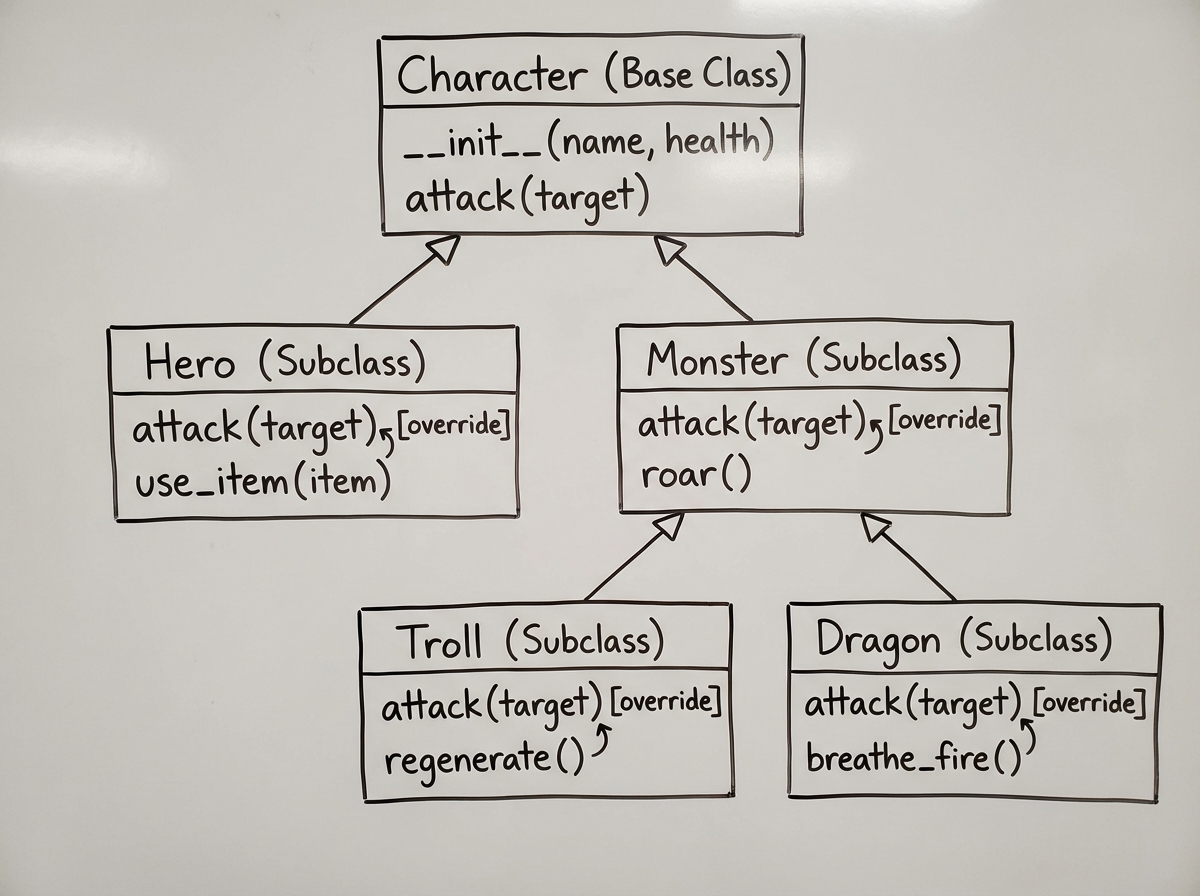
The key is to hold on until you rebuild the same RPG game you made in day 4 — but this time using classes. You’re not learning new mechanics. You’re reorganizing code you already wrote into a structure that makes it easier to extend. When your Monster class inherits from a Character class, and a Troll inherits from Monster, you see concretely why inheritance exists. The hierarchy isn’t theory — it’s the thing that lets you add a Dragon class in twenty lines instead of two hundred.
self and __init__ are two of the most confusing pieces of syntax in early Python. Understanding self as the object referring to itself — not a special keyword but a convention — takes repetition. The dunder methods feel like wizard syntax until you write __init__ enough times that it becomes muscle memory. Once you’re comfortable there, overriding parent methods and using super() stop being intimidating.
The Jump to Graphics and Third-Party Libraries
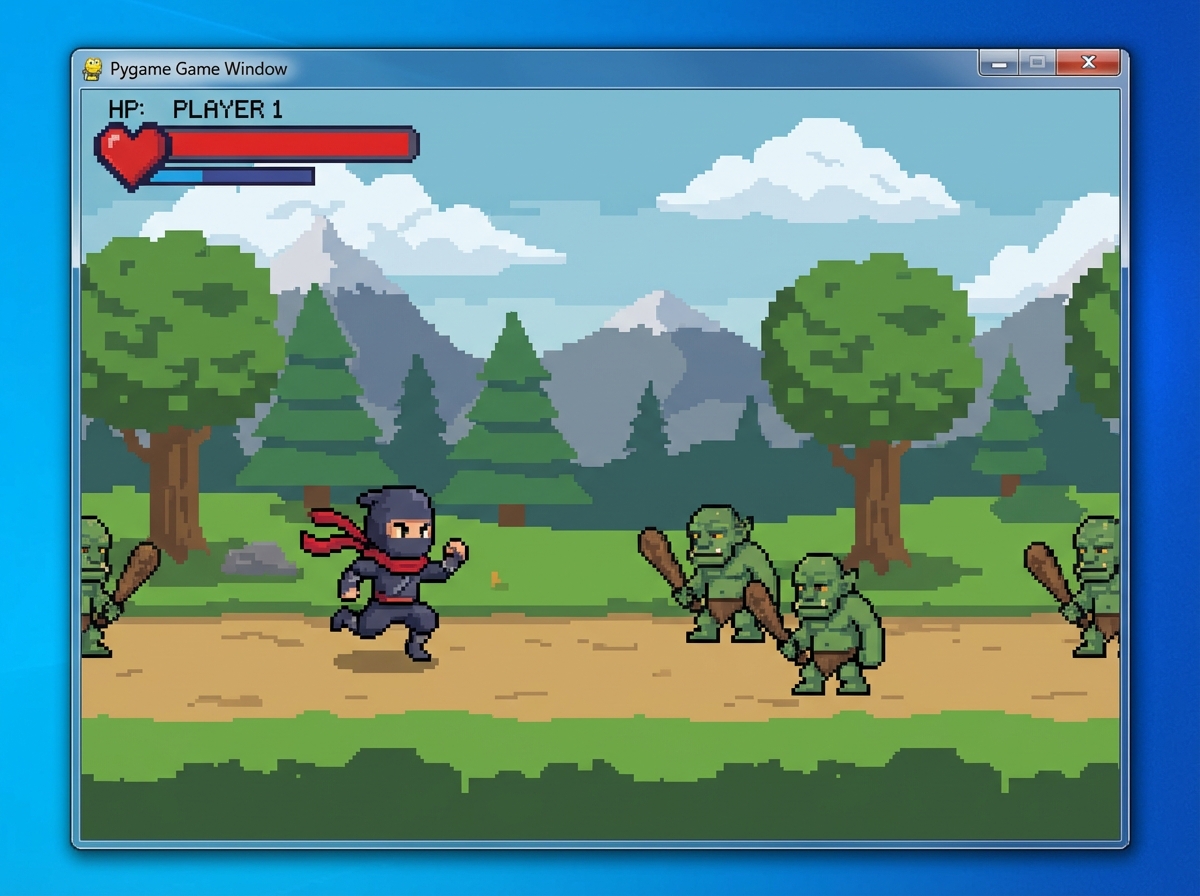
Moving from the text-based RPG to a graphical one with pygame is the most significant context shift in learning Python. Not because pygame is hard — but because the environment changes completely. You’re no longer running a script from the terminal and reading text output. You’re setting up a game loop, rendering images to a screen, handling keyboard events, and managing animation frames. The mental model has to expand.
Setting up a virtual environment with venv and installing packages with pip sounds administrative, but it’s the first time you’re working like an actual developer. You’re managing dependencies, isolating your project from system Python, and interacting with a third-party API. Every professional Python project starts this way. Learning it here, in the context of something fun, means it doesn’t feel like overhead — it feels like unlocking a new capability.
The animation system in pygame introduces class variables — values shared across all instances of a class rather than unique to each one. This is a subtle but important distinction from instance variables. Getting it wrong means all your trolls move in sync when only one should. Getting it right means you understand the difference between state that belongs to a type and state that belongs to an individual.
Collision, Sprites, and Finishing What You Started
Sprite groups and collision detection in pygame are the first place where Python’s object system and a third-party library’s architecture meet directly. You’re not just using pygame functions — you’re subclassing pygame’s Sprite class, which means your classes need to follow a contract pygame expects. If your class doesn’t call super().__init__() correctly, nothing works and the error message doesn’t tell you why.
Building out the full collision system — player attacking troll, troll taking damage, monster death, treasure spawning, score tracking, game over screen — is the point where you realize you’ve been building something that works. Not a toy script. A game that someone else could actually play. That shift in self-perception is more valuable than any specific technical concept you’ve learned.
Algorithm Challenges Are Where the Thinking Changes
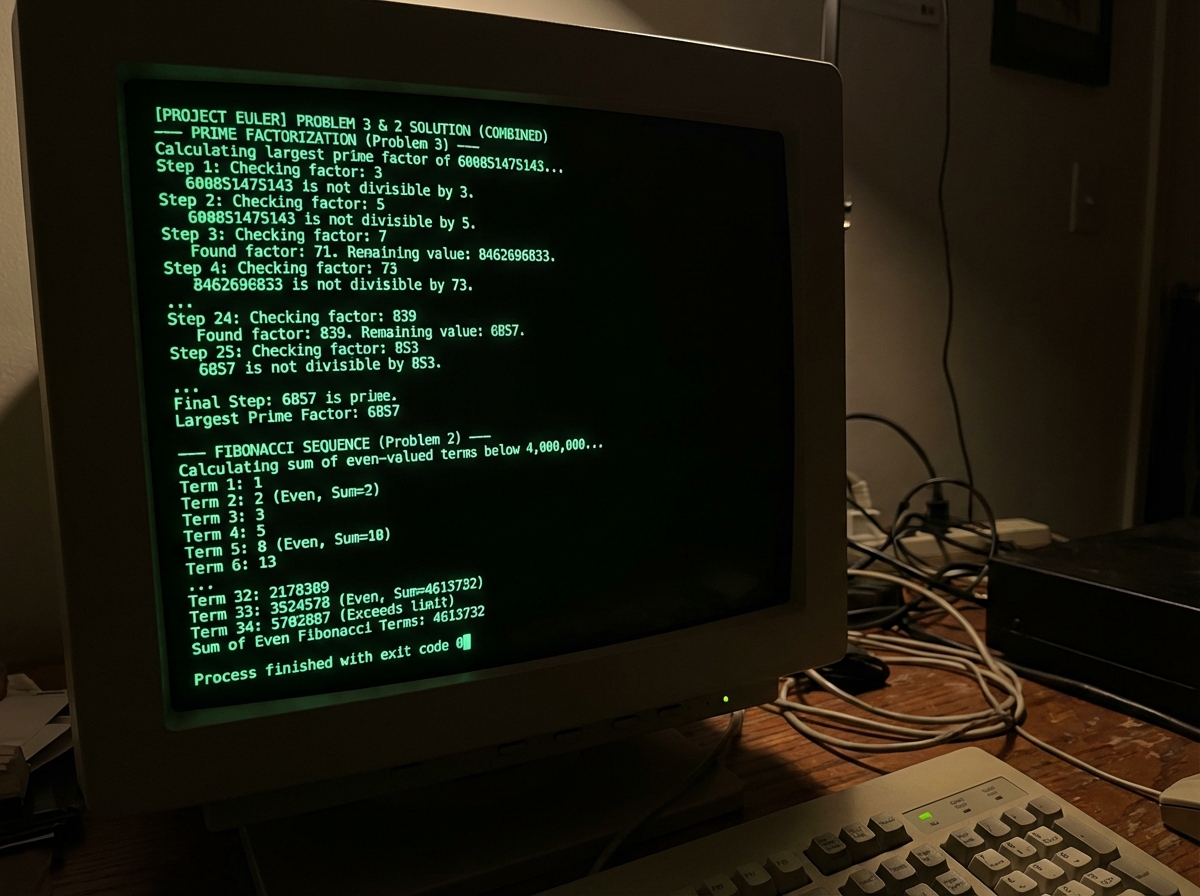
The final stage is deliberately different from everything before it. The Project Euler problems aren’t about learning new Python syntax — they’re about applying the Python you know to problems that require actual thinking. Fizz Buzz variants, palindrome detection, prime factorization, Fibonacci sequences. These problems are small enough to feel manageable but hard enough to require real logic.
The modulus operator is a good example of something that looks trivial — x % y returns the remainder — but becomes the core tool for a dozen different problems. Divisibility checks, even/odd detection, cycle detection in sequences. Once you understand it well enough to reach for it instinctively, your problem-solving range expands. These challenges also reveal the gap between code that works and code that’s efficient, which is a lesson that stays with you.
Looking back, the thing that mattered most wasn’t any single concept — it was the compounding effect of building something real at each stage. You don’t understand dictionaries in the abstract. You understand them because you broke your RPG using a list and fixed it with a dictionary. Here’s what to apply immediately:
- Type out every code example by hand — copying and pasting hides the syntax errors you need to see to learn from
- Break your own code on purpose — change a value, remove an indent, delete a colon, and read what the error message says; doing this deliberately builds debugging instincts faster than anything else
- Name your variables like a human —
player_healthbeatsphevery time, and the habit saves you hours of confusion later - Rebuild each project from memory the next day — not from scratch necessarily, but without looking at your previous code; the gaps you can’t fill are exactly what you need to review
- Read the official Python docs for every method you use — not to memorize them but to know what’s possible; the
.sort()method has akeyparameter most beginners never discover - Don’t skip the virtual environment setup — the habit of isolating dependencies is something professional developers do on every project; starting it now costs five minutes and saves hours of dependency conflicts later
- Use the REPL for small experiments — open a Python terminal and test one-liners before adding them to your project; it’s faster than running a full file to test a single expression
- Build one small project outside the curriculum — a to-do list, a number guessing game, a word counter; applying what you know to something you chose is the transition from student to programmer
Leave a Reply