


If you run a small business and you’ve been avoiding video, you already know the quiet guilt of watching competitors post content while you keep promising yourself you’ll start next week. The longer you wait, the further behind you fall — and the truth is, the gap isn’t about gear or talent. It’s about not having a clear system to follow.
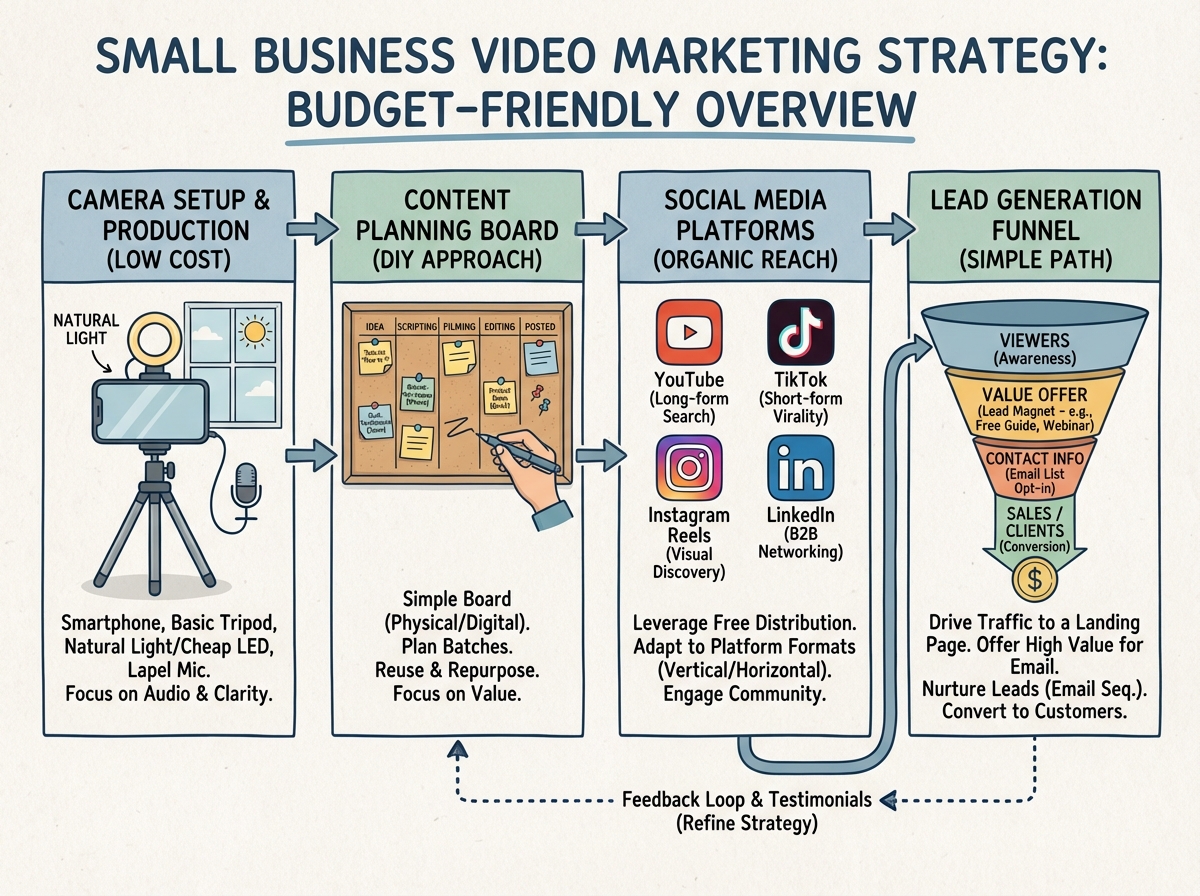
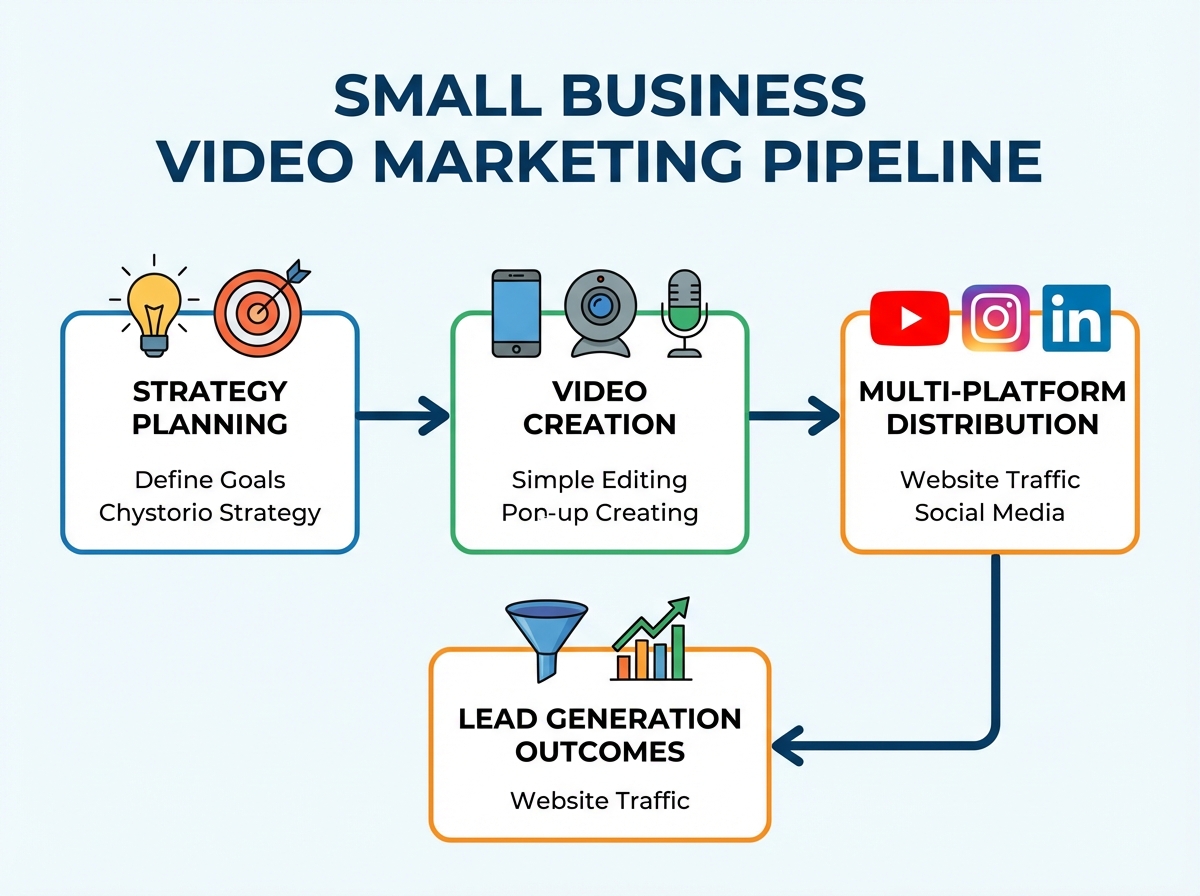
If you’re looking to learn video marketing for small business, the fastest path forward is to stop treating video as a one-off project and start treating it as a repeatable process. Small business video marketing works when you build a simple strategy first, choose the right tools for your budget, and repurpose every video across multiple channels. You don’t need a studio, a camera crew, or a production team — you need a plan you can actually execute alone.
- Most small business owners waste months experimenting with equipment before ever building a real content strategy — and equipment is the last thing that matters.
- One video, produced with a clear purpose and distributed across three channels, beats ten random videos uploaded without a plan.
- The business owners who get consistent leads from video are almost always the ones who started with the simplest setup possible and stayed consistent.
What Video Marketing for Small Business Actually Means
Video marketing for small business is the practice of using recorded or live video content — product demos, behind-the-scenes clips, tutorials, client stories — to attract, educate, and convert customers across digital platforms. It’s not about going viral. It’s about showing up consistently in front of the right people with content that answers real questions and builds trust.
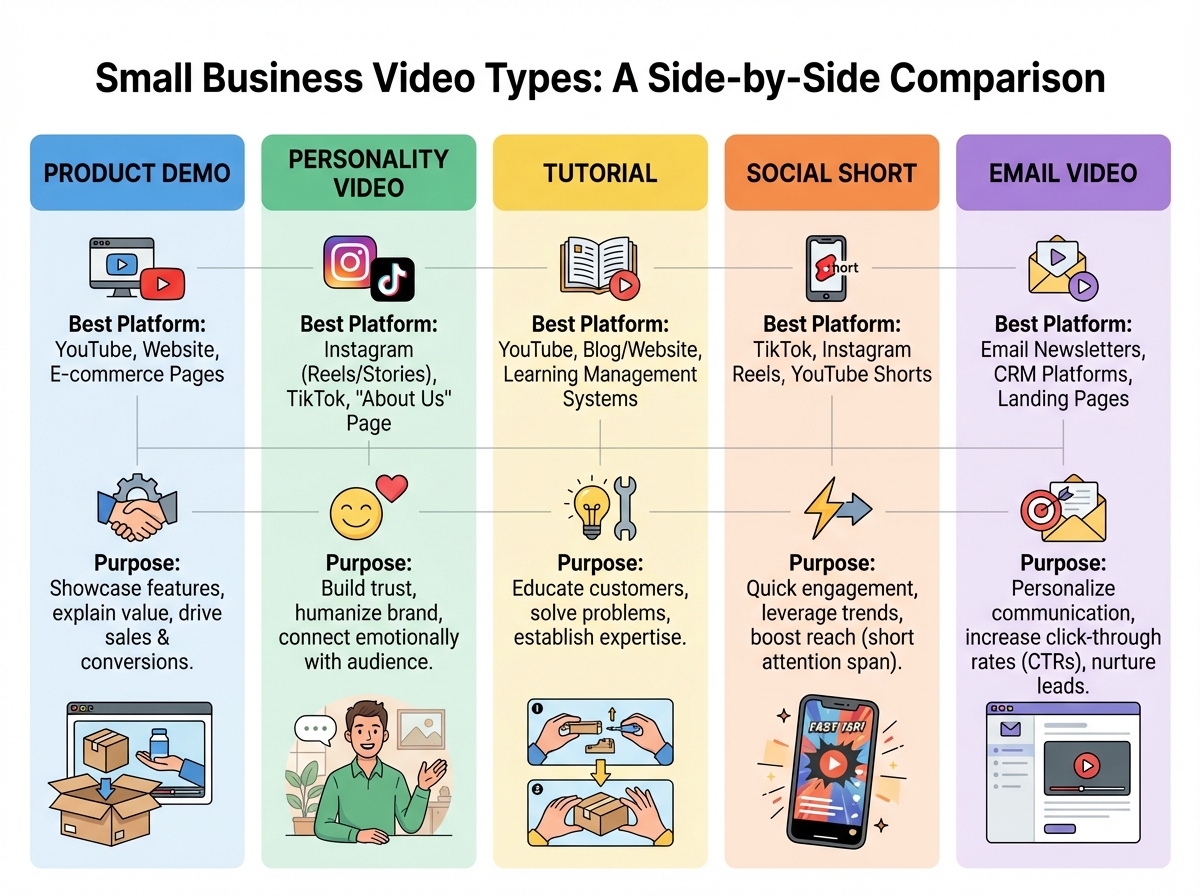
The landscape breaks down into a few distinct content types:
| Video Type | Best Use Case | Platform Fit |
|---|---|---|
| Product/Service Demo | Show how something works in real life | YouTube, Instagram, website |
| Business Personality Video | Build trust, humanize the brand | Instagram, Facebook, YouTube |
| Tutorial / Site Walkthrough | Educate prospects, reduce sales friction | YouTube, email, landing pages |
| Social Media Short | Fast awareness, algorithm reach | Instagram Reels, TikTok, Shorts |
| Email Video | Replace long text emails, increase replies | Email sequences, lead nurture |
The business that understands which type to use and when has a significant advantage over one that just “posts videos.”
The Hardware Conversation Nobody Warns You About
The single biggest mistake people make when starting video marketing for their small business is spending the first month obsessing over cameras. I’ve watched business owners buy $800 mirrorless cameras before recording a single video — then freeze because the footage doesn’t look like what they imagined. The camera was never the problem. Confidence on camera was. And you only build that by actually recording.
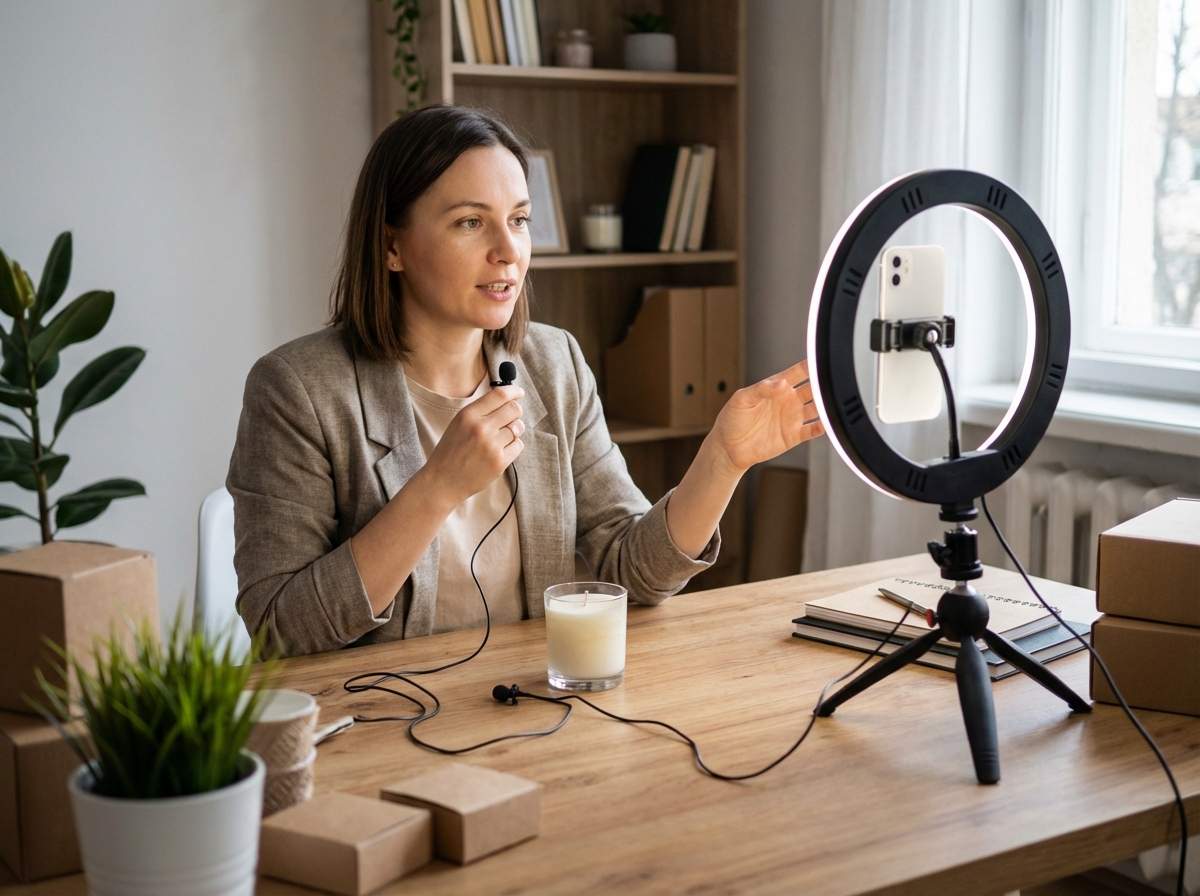
The gear that actually matters in the beginning is deceptively simple. Your smartphone — especially if it’s a recent iPhone or Android — shoots better video than professional cameras from ten years ago. What makes or breaks early videos isn’t the sensor. It’s the microphone. Bad audio kills trust faster than shaky video. A decent lapel mic that clips to your shirt costs less than dinner for two and immediately separates your content from the background noise of the internet.
Lighting is the third piece, and natural light from a window in front of your face handles 90% of what most small business owners need. The moment you start thinking in terms of sound first, framing second, and lighting third — the camera becomes almost irrelevant. Pick what you have, commit to using it for sixty days, and upgrade only when you’ve run out of excuses that aren’t gear-related.
Building a Video Marketing Strategy Before You Hit Record
The part that most people skip — and then spend months trying to reverse-engineer — is the strategy. Not the content calendar. Not the editing workflow. The underlying logic that determines why you’re making a specific video at all.
A functional small business video marketing strategy starts with one question: what does my ideal customer need to believe before they buy? Everything flows from that. If you sell a service that requires trust — coaching, consulting, therapy, legal work — then personality videos and client testimonials come first. If you sell a physical product, demos and unboxings do the heavy lifting. If your business lives on repeat customers, tutorial videos that make buyers feel smart about their purchase are the retention engine.
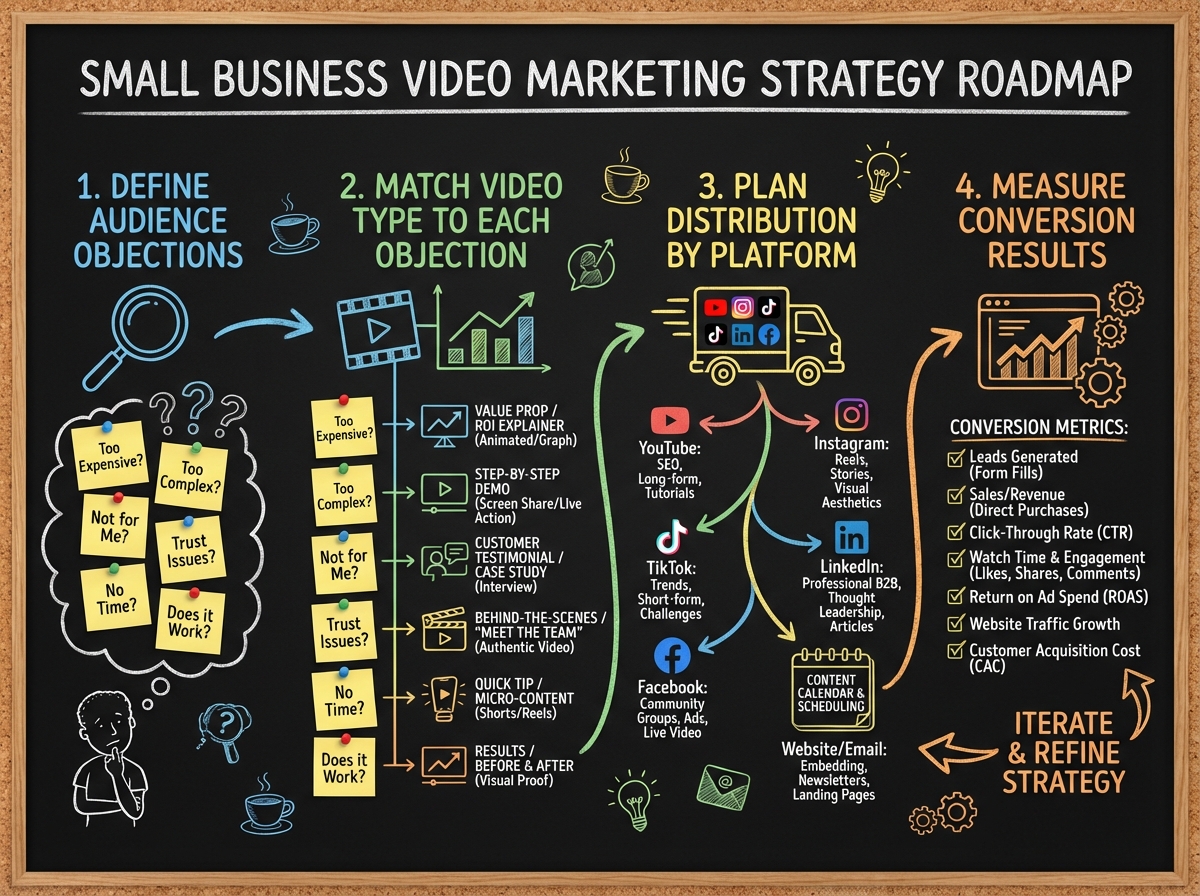
The strategy session that changed how I approached this wasn’t complicated. It was writing down every objection a new prospect typically raises — price, credibility, comparison shopping, fear of making the wrong choice — and then matching a video type to each one. Suddenly the content calendar wasn’t a brainstorm. It was a conversion document. Every video had a job. For small business owners who want to connect strategy to broader digital growth, understanding online entrepreneurship principles alongside video helps avoid the trap of building an audience that never converts.
How Long Does It Take to See Results from Small Business Video Marketing?
This is the question everyone asks and nobody answers honestly. Here’s a realistic breakdown:
| Stage | What You’re Doing | Time |
|---|---|---|
| Setup | Hardware, tools, channel creation, strategy doc | Week 1–2 |
| First Content Batch | 4–6 foundational videos, upload & optimize | Week 3–4 |
| Early Distribution | Social sharing, email embeds, website placement | Month 2 |
| Algorithm Traction | Consistent posting, early search visibility | Month 3–4 |
| Lead Generation | Inbound traffic, DMs, inquiries from video | Month 5–6 |
| Total to First Consistent Results | 4–6 months |
The order matters far more than the speed — rushing into distribution before your foundational videos are solid is the fastest way to guarantee those early months count for nothing. If you’re moving slower than this timeline, that’s completely normal; most small business owners build their video presence around a full schedule, and two strong videos per month will always outperform ten rushed ones.
Multipurposing: The Multiplier Most Small Businesses Ignore
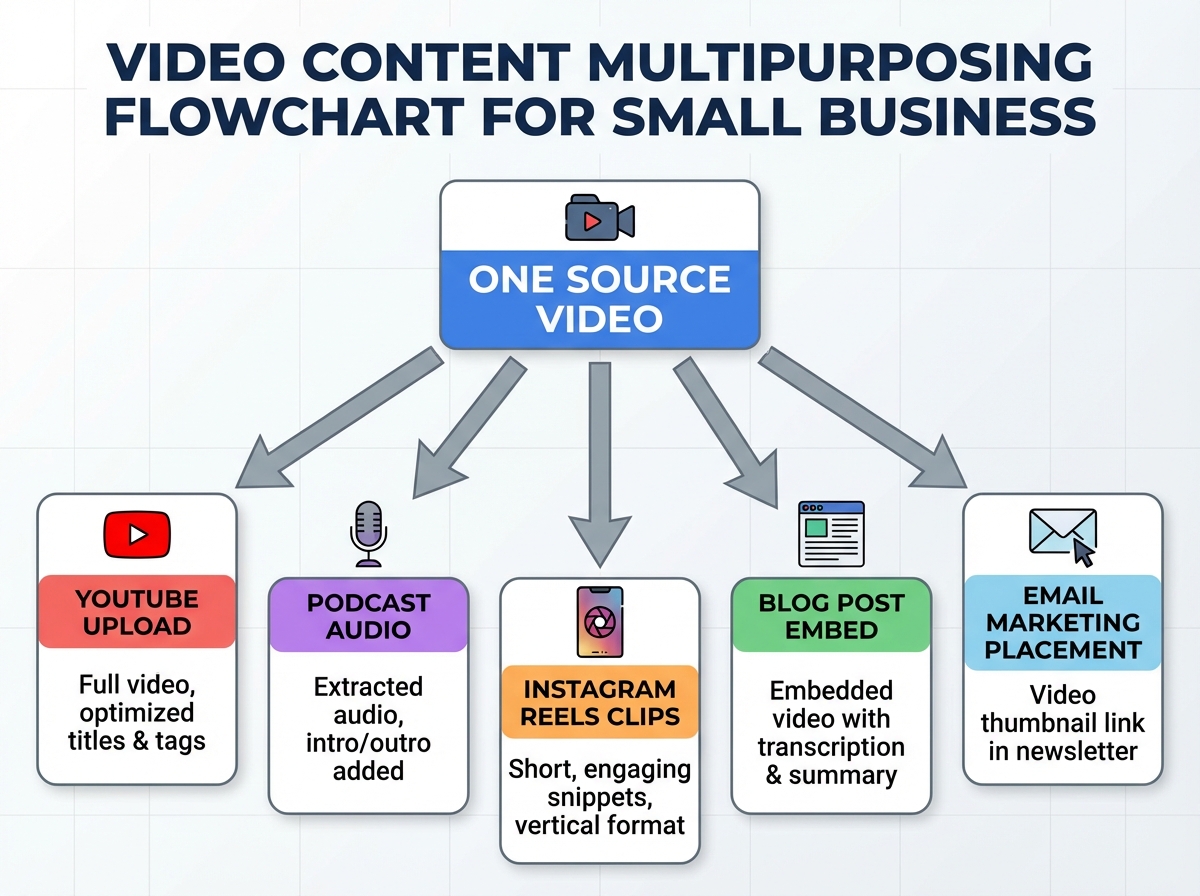
Here’s where the leverage actually lives. A fifteen-minute tutorial video recorded once can become a podcast episode, a blog post, a three-minute cut for YouTube, six fifteen-second clips for Instagram Reels, and a personal email to your list with the full video embedded. That’s seven pieces of content from one recording session.
This concept — multipurposing, or video redistribution — is the reason small business owners on tight schedules can compete with companies that have dedicated content teams. You’re not producing more content. You’re extracting more value from the same effort. The key is recording with distribution in mind from the start. If you know you’re going to pull audio for a podcast, you speak clearly and don’t rely on visuals. If you know you’re cutting fifteen-second clips, you make distinct points rather than rambling through a single long thought.
The tools that make this practical are simpler than people expect. Screen recording software handles website walkthroughs and app demos directly from an iPad or iPhone without additional hardware. Export the audio from any video and you’ve got a file ready to upload to podcast directories. Once you’ve done this workflow twice, it becomes as automatic as sending email.
Using Video Across Social Media Without Burning Out
The friction point that kills most small business video strategies isn’t production — it’s distribution fatigue. You make a video, upload it somewhere, get underwhelmed by the response, and decide video “doesn’t work” for your audience. What actually happened is that one video on one platform without a strategy is an experiment, not a system.
Social media video marketing for small business works when each platform gets a version of the content designed for how that platform is consumed. Instagram video performs best when it grabs attention in the first two seconds — no slow intro, no logo animation, just an immediate visual hook. YouTube rewards depth and searchability — a well-titled fifteen-minute tutorial will generate leads two years after it’s uploaded. Email video (even just a thumbnail that links to YouTube) increases reply rates because it feels personal in a way that text blocks never do.
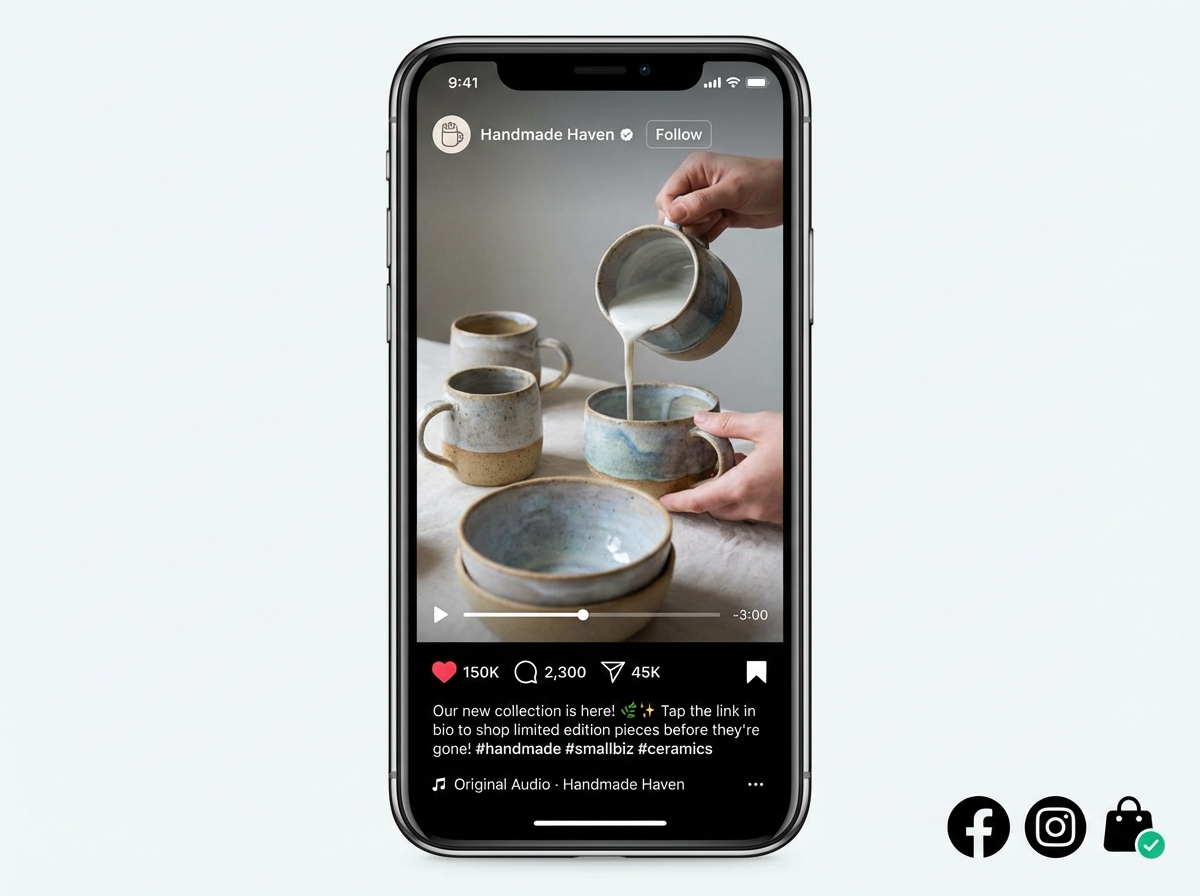
Instagram specifically changed the game for businesses with visual products or personal brands. A thirty-second Reel showing the before-and-after of your service, the process behind your product, or even a quick tip from your expertise costs nothing to produce and reaches people who have never heard of you. The business owners I’ve seen grow the fastest using Instagram marketing for visual creatives are the ones who stopped overthinking and started publishing — imperfect, consistent, and always pointed at a real audience problem.
The ROI Question: How to Know if Your Videos Are Actually Working
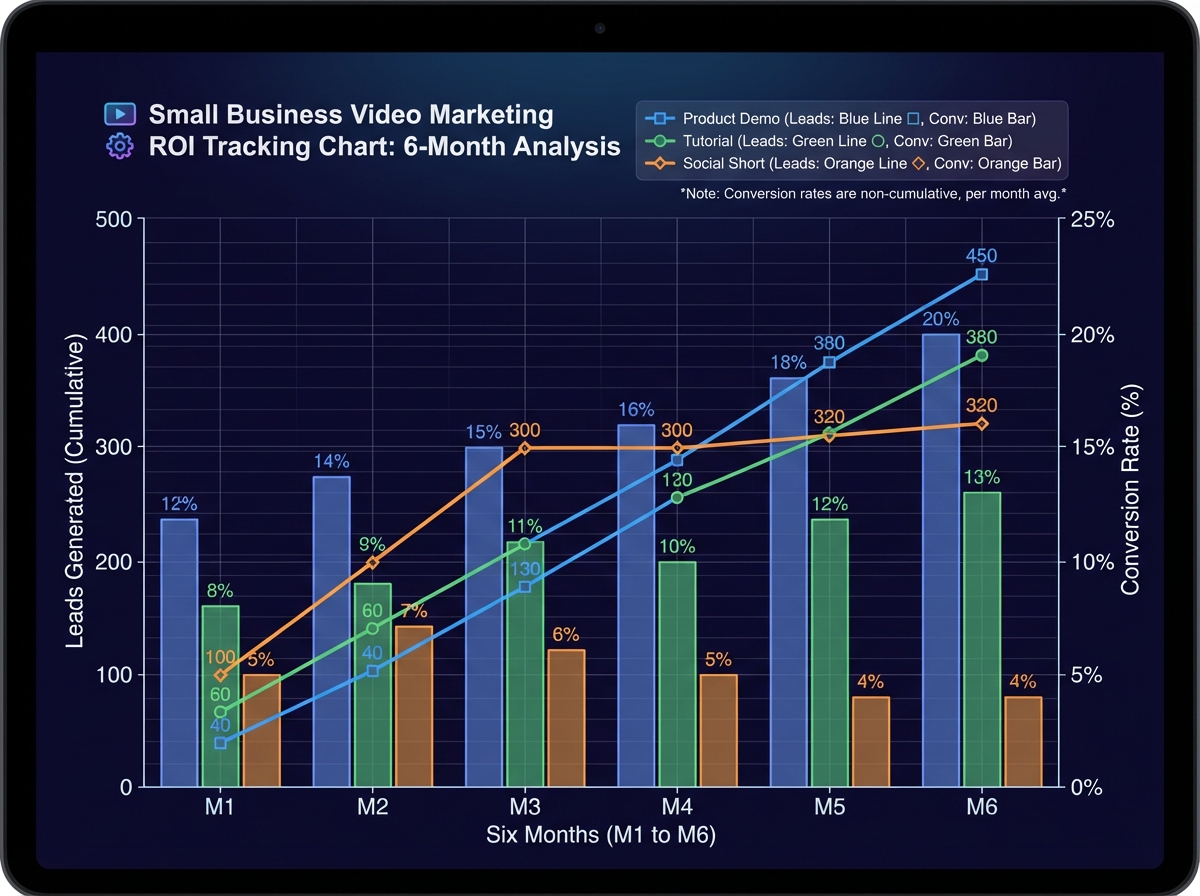
Most small business owners never set up any measurement before they start, which means they have no way to know if their videos are working until a client says “I found you on YouTube” — and even then they don’t know which video or why. Calculating return on investment for video doesn’t require a data analyst. It requires answering three questions: Where did this lead find me? What did they watch? Did they buy?
If you’re doing product demos, track how many people who watched a full demo eventually purchased — even a rough number tells you whether the video is doing its job. If you’re using video to replace email chains — recording a sixty-second personal response video instead of typing a five-paragraph reply — measure whether response rates go up and sales cycles go down. Brand evangelist content, the kind where real customers tell your story in their own words, tends to have the highest conversion impact because it removes the credibility gap that every new business faces.
The simpler the metrics, the more likely you’ll actually track them. Pick one conversion action per video type — a form fill, a reply, a sale, a phone call — and connect that to the video that likely influenced it. Over time, patterns emerge. Certain topics consistently bring in buyers. Certain formats generate DMs. That data tells you exactly what to make next, which means every future video is less of a guess and more of a calculated investment.
What Nobody Tells You About Outsourcing Video Production
There’s a stage in every small business video strategy where the owner realizes they can afford to pay someone else to handle editing, scripting, or even full production. The mistake almost everyone makes at this point is outsourcing before they understand the work well enough to brief it properly.
Instructional or explainer videos — the kind that walk a customer through how to use your product, navigate your service, or understand your process — are particularly easy to get wrong when handed to someone who doesn’t understand your audience. A freelance editor can cut your footage cleanly. They cannot tell you what a first-time buyer needs to hear or what objection to address in the first thirty seconds. That strategic layer has to come from you before the production layer can be outsourced effectively.
The business owners who outsource successfully have always done the work themselves first. They know what a good script sounds like for their audience because they’ve written ten bad ones. They know what B-roll matters because they’ve edited without it. That firsthand experience becomes the brief that a freelancer can actually execute. Skipping to outsourcing without building that internal knowledge first is how you spend money on videos that look polished and convert nothing. For small businesses exploring how to grow a social media audience that actually makes money, outsourcing distribution before owning strategy is the same trap wearing a different mask.
Tips You Can Apply Before Your Next Video
Audit your phone’s microphone before anything else. Record thirty seconds of audio, play it back with headphones — if it sounds tinny or hollow, a $20 clip-on mic will immediately improve every video you make.
Write one sentence that describes exactly who this video is for and what problem it solves. If you can’t write that sentence before you hit record, the video doesn’t have a strategy yet.
Record your first product demo using your iPad or phone’s built-in screen recording. You’ll get a clean, professional-looking walkthrough with zero additional editing required in most cases.
Create a redistribution checklist you run after every video. YouTube upload, Instagram Reel cut, audio export, email embed — build the checklist once and the workflow becomes automatic every time.
Replace one email chain this week with a sixty-second video reply. Send it through a free screen recording tool and watch how differently people respond to seeing your face versus reading your words.
Put your most-watched video on your homepage above the fold. Visitors who watch a video stay longer, trust you faster, and convert at a higher rate than visitors who only read text.
Title your YouTube videos the way a customer would type the question. Not “Product Overview” — but “How [your product] works for [specific situation].” That’s the difference between a video that sits and a video that finds you new customers.
Track one conversion metric per video for the next ninety days. A simple spreadsheet with video title, upload date, and leads attributed is enough to tell you what’s actually worth making more of.
Leave a Reply