


There’s a specific kind of paralysis that hits people before they write their first line of Python. Not impostor syndrome exactly — more like standing in front of a wall of doors with no idea which one opens to the room you actually need.
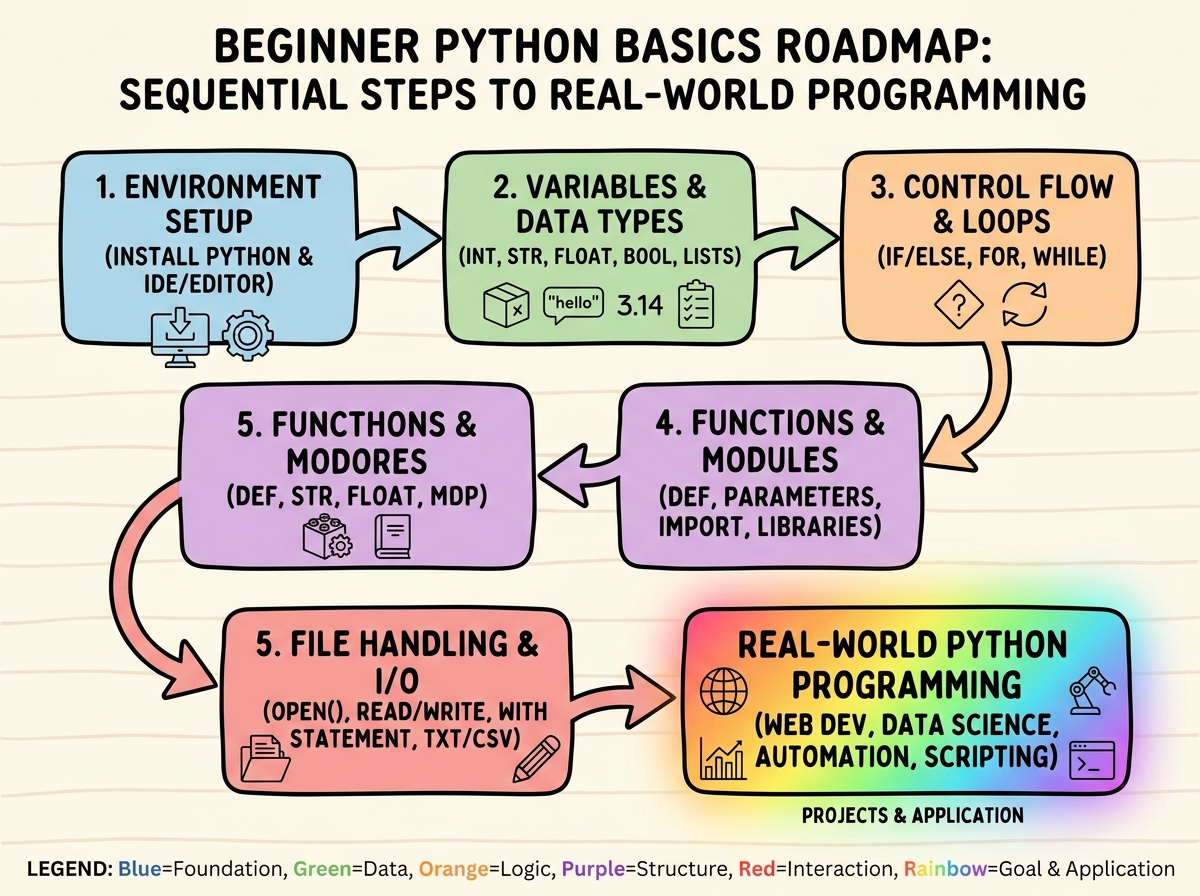
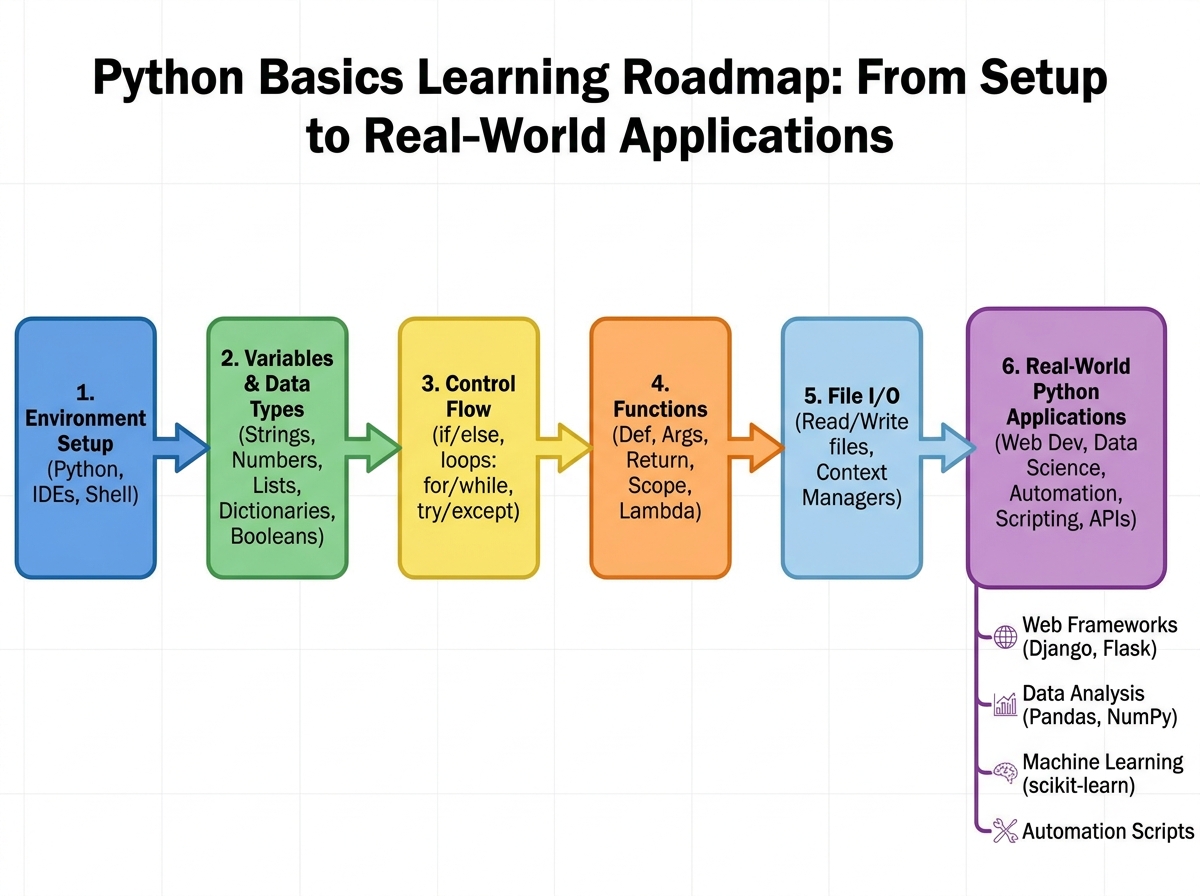
If you’re looking to learn Python basics, the most direct path is to set up your environment, understand how variables and data types work, then learn how control flow — if statements, loops, and functions — lets your code make decisions and repeat work automatically. Most beginners can get from zero to writing functional programs in a few focused hours, provided they don’t spend those hours watching tutorials instead of writing code.
- You need zero programming background — but you do need to actually type the code yourself, not just read it
- The biggest bottleneck isn’t syntax — it’s the gap between copying examples and writing something original from scratch
- Completing the foundational blocks (variables, loops, functions) unlocks every other direction Python can take you: data work, automation, web apps
What Python Fundamentals Actually Are
Python is a high-level, interpreted programming language known for readable syntax that resembles plain English. For someone with no prior coding experience, that means the gap between what you write and what the computer executes is smaller than in most other languages.
Here’s a quick map of what the core building blocks do:
| Concept | What It Does | Why It Matters |
|---|---|---|
| Variables | Store and label data | Every program manipulates information |
| Data types | Define what kind of data (text, number, list) | Determines what operations are valid |
| Control flow | Make decisions with if/elif/else | Lets programs respond to different inputs |
| Loops | Repeat actions automatically | Eliminates manual, repetitive work |
| Functions | Package reusable logic | Makes code maintainable and scalable |
| File I/O | Read from and write to files | Connects your programs to the real world |
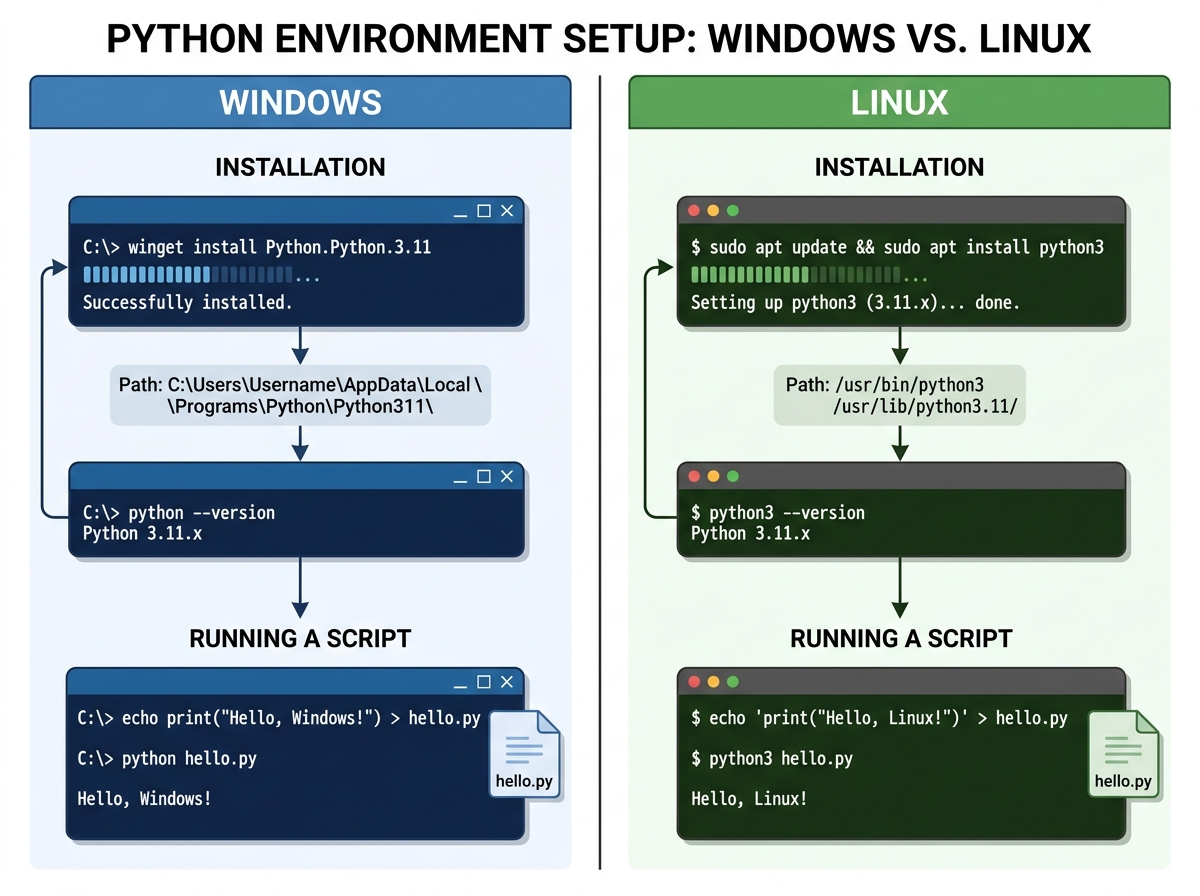
If you’re learning Python for beginners on Windows or Linux, the underlying concepts are identical across both systems — only the setup steps differ slightly.
Three Things That Surprise Every Beginner
- Python doesn’t care how clever your code looks — it cares whether it runs without crashing.
- A for loop over a list of 10,000 items takes the same effort to write as a loop over 3 items.
- The function you write on day two will still be in your code six months from now — how you name things matters immediately.
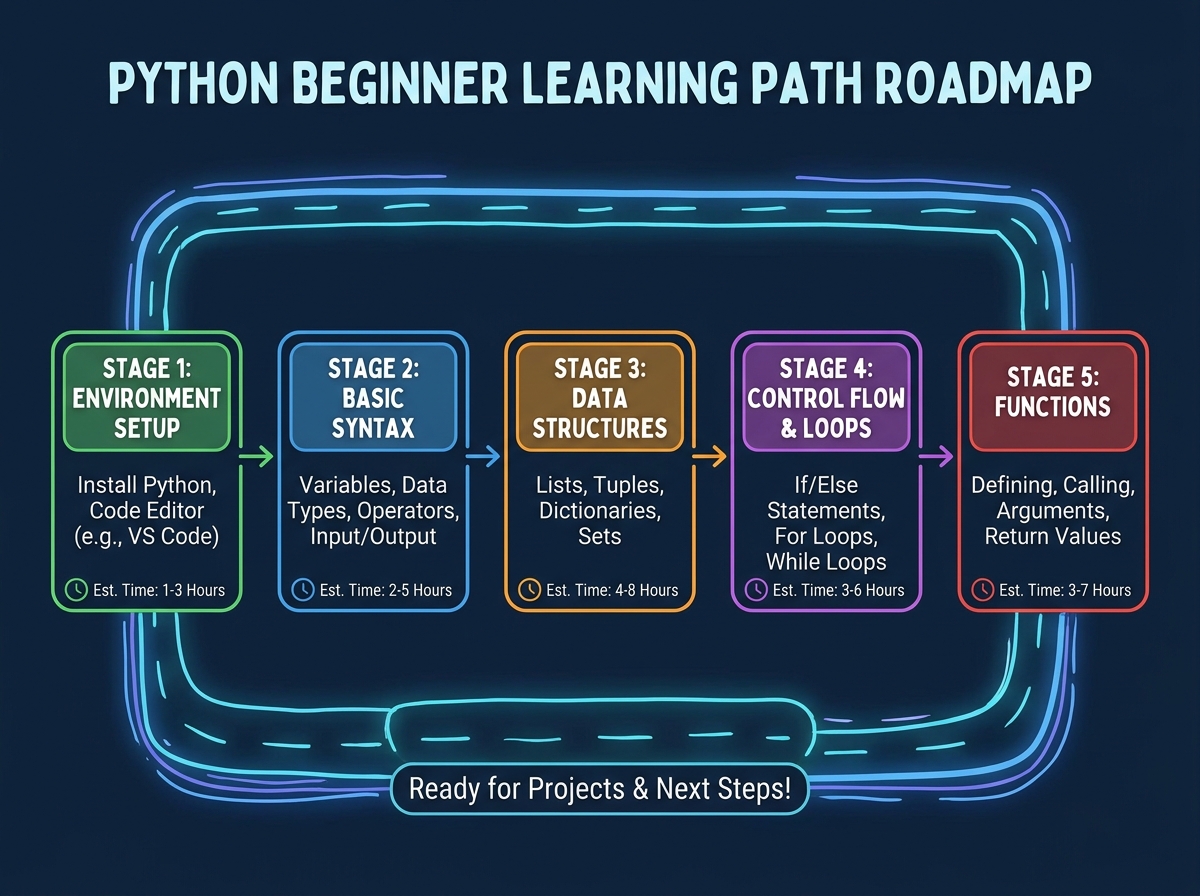
How Long Does It Take to Learn Python Basics?
| Stage | Content | Estimated Time |
|---|---|---|
| Environment setup | Installing Python, configuring a text editor or IDE on Windows/Linux | 30–60 min |
| Core syntax | Variables, strings, print statements, comments, user input | 1–2 hours |
| Data structures | Lists and dictionaries — storing and retrieving grouped data | 1–2 hours |
| Control flow | If/elif/else conditions, comparison operators (AND, OR, NOT, IN) | 1–2 hours |
| Loops | For loops, while loops, iterating over lists and ranges | 1–2 hours |
| Functions | Defining and calling functions, reusing code | 1 hour |
| File I/O | Reading and writing files, basic input/output operations | 30–60 min |
| Total | Full foundational Python basics | 6–10 hours |
Order matters far more than speed here — each stage builds a mental model the next stage depends on. If you’re taking longer than the estimate, that’s not a sign something is wrong; it usually means you’re actually experimenting instead of just reading.
Getting Your Environment Right (Before You Touch Code)
The first place most beginners lose time is setup. Not because it’s technically hard, but because they skip it — running Python from the wrong folder, using a version that conflicts with tutorials they found online, or typing code directly into a browser sandbox that never forces them to actually run anything locally.
Setting up Python on your own machine — Windows or Linux — is the first real act of programming. You’re telling your operating system where to find the interpreter, which means learning what a PATH variable is before you’ve even written a variable in Python. That’s mildly annoying and also extremely useful.
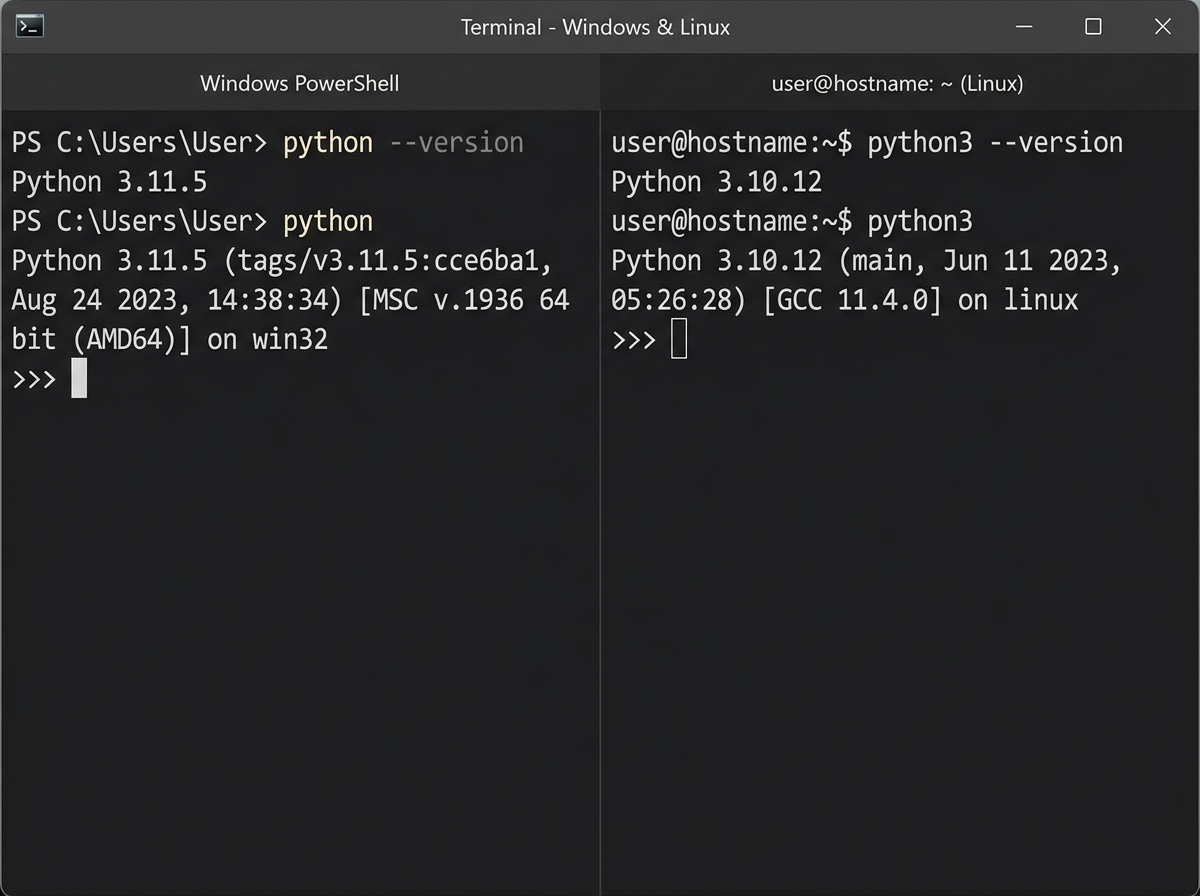
The moment you open a terminal, type python or python3, and see the version number respond back — that’s the first thing that felt real. Not a completed exercise, not a certificate. Just the machine acknowledging that you’re ready.
Don’t skip this step by going straight to a browser-based sandbox. Local setup is where you learn that programming is a conversation with your own machine, not a form you fill out on a website.
Variables, Strings, and the First Time Code Actually Talks Back
The single biggest mistake people make when learning Python basics for the first time is treating variables like abstract math notation. They memorize x = 5 without registering what it means: you’re giving a name to a piece of data so you can use it again later. That’s it. The simplicity is the point.
String concatenation is where it gets interesting, and frustrating. Trying to combine a string and a number without converting the number first throws a TypeError that looks terrifying the first time. After the third time, you stop fearing it and start reading it. Error messages in Python are more honest than error messages in almost any other language — they tell you exactly what they couldn’t do and on which line.
User input is the first moment Python stops being a calculator and starts being a program. When you write input("What's your name? ") and the terminal actually waits — actually pauses and expects something from you — the abstract idea of interactivity becomes physical. You typed something, the program responded with something different depending on what you said. That’s programming.
Print statements feel trivial until you realize every debug session you’ll ever run will involve them. Get comfortable using print() to check what a variable holds at any point in your code. It’s not a beginner habit to outgrow — it’s one that experienced developers use constantly.
Lists, Dictionaries, and Why Data Structure Choice Matters Early
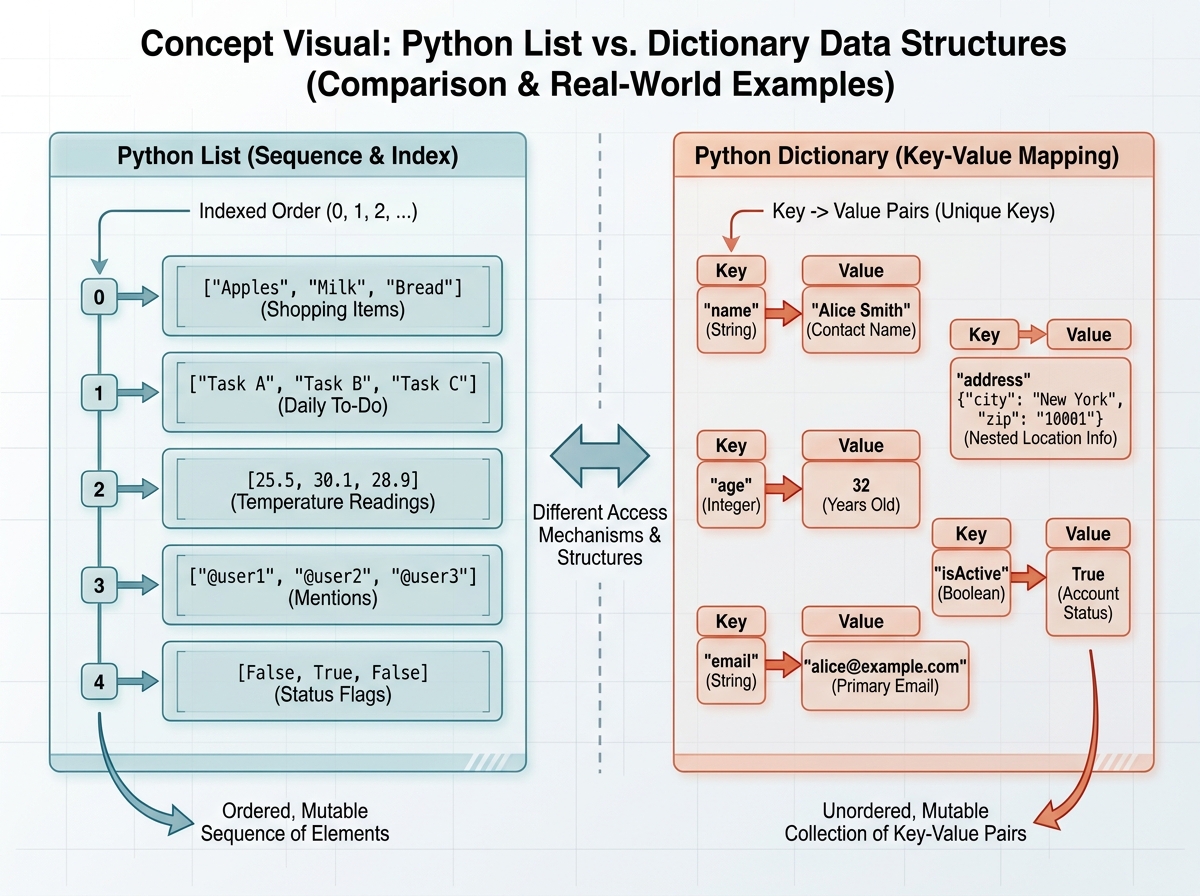
Lists and dictionaries are where Python beginner syntax for data storage either clicks or gets confusing fast. Most people understand lists intuitively — it’s just a sequence of things. Dictionaries are where the mental model shifts. You’re not accessing data by position; you’re accessing it by a label you assigned.
The friction here is usually index errors. Writing my_list[5] when the list only has four items raises an IndexError that feels like a wall. The lesson buried inside that error: Python always knows more about the state of your data than you think you do. Stop guessing what’s in a variable and print it.
Dictionaries start making complete sense the moment you think about real data. A contact in your phone isn’t stored as item zero through item four — it’s stored as name, number, email, address. That’s a dictionary. Once you map code concepts to real things you already understand, the syntax becomes secondary to the structure.
Here’s what changes after this section: you stop thinking about storing one value and start thinking about storing collections of related values. That shift alone opens up every real-world Python application you’ve ever seen described in a job posting.
Control Flow: When Your Code Finally Makes Decisions
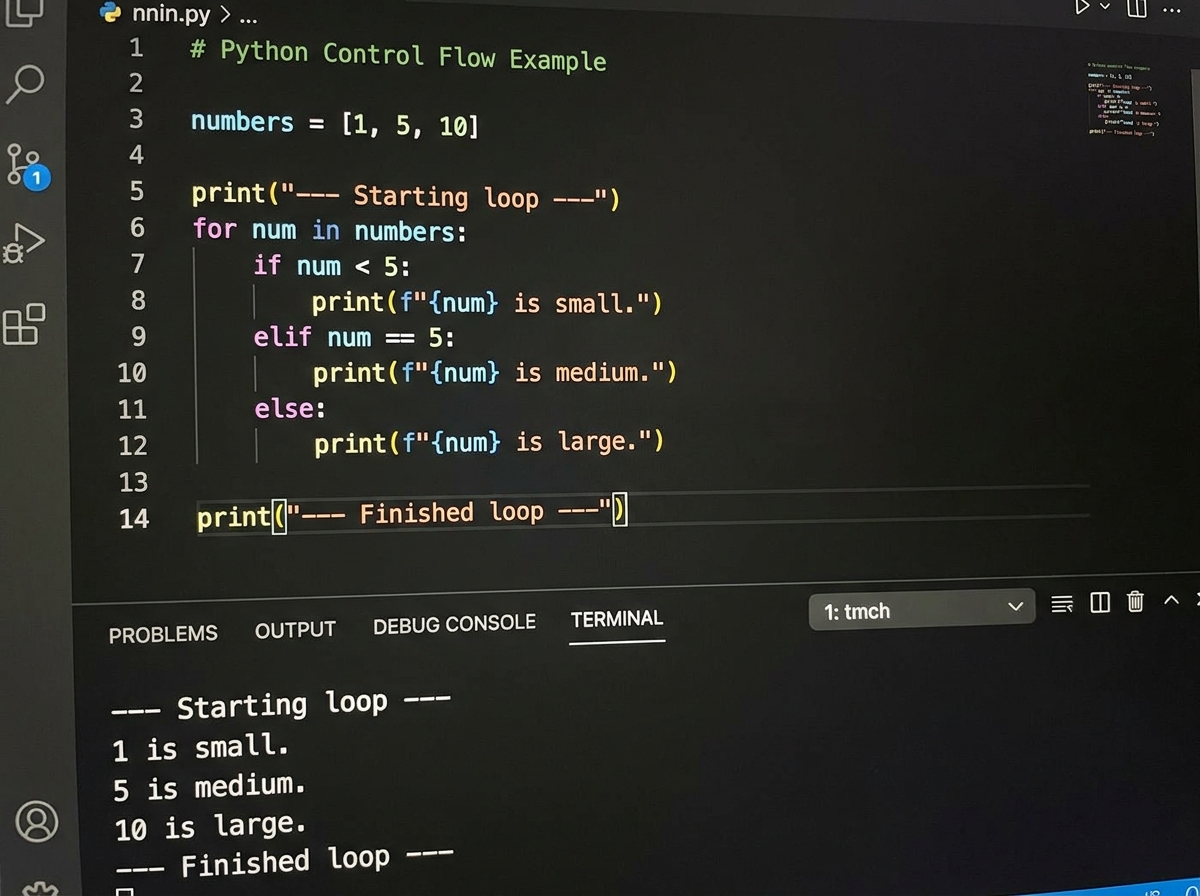
If statements feel obvious until you try to nest them. The first time you need an elif to handle a third condition, there’s a moment of genuine uncertainty about where the logic is supposed to go. This is not a syntax problem — it’s a thinking problem. You’re learning to break down decisions into discrete, sequential checks.
Comparison operators (AND, OR, NOT, IN) are where Python’s readable syntax pays off the most. if "admin" in user_roles reads like English. The first time you write a condition that actually mirrors a real business rule — checking whether a user has permission, whether a value falls within a valid range — control flow stops being an exercise and starts being a tool.
Loops are the moment the computer starts doing the work for you. A for loop over a list of names that prints each one doesn’t feel impressive until you change the list from 5 items to 500. The code doesn’t change. That’s when the leverage of programming becomes concrete, not just conceptual.
while loops introduce a different kind of thinking: the program will keep running until a condition changes. The related mistake almost every beginner makes is writing a while loop with a condition that never becomes False, which produces an infinite loop that freezes the terminal. You’ll do it once. After that, you’ll never forget to include a mechanism that changes the condition.
Functions: The Part That Actually Makes You a Programmer
Functions are where Python programming for beginners stops being a series of independent statements and starts being a system. You’re not just telling the computer what to do once — you’re building reusable pieces that can be called from anywhere.
The resistance here is usually unnecessary. People delay writing functions because it feels like an advanced topic, like something to learn after the basics. It’s not. A function is just a named block of code you can trigger by name. You already understand that concept from every tool you’ve ever used.
The breakthrough comes when you catch yourself copy-pasting the same five lines to a different part of your code — then realize you could have defined a function once and called it twice. That frustration is the most valuable lesson functions can teach. You can’t teach someone to value reusability; they have to waste time on repetition first.
If you’re also learning to automate data tasks with Python and Excel integration, functions become even more critical — every automation workflow is essentially a chain of functions calling each other in sequence.
File Handling and the Bridge to Real-World Python
File I/O is the last foundational skill before Python becomes genuinely useful outside of toy examples. Reading from a file means your program can work with data that already exists — a CSV export, a config file, a log. Writing to a file means your program’s output survives after it finishes running.
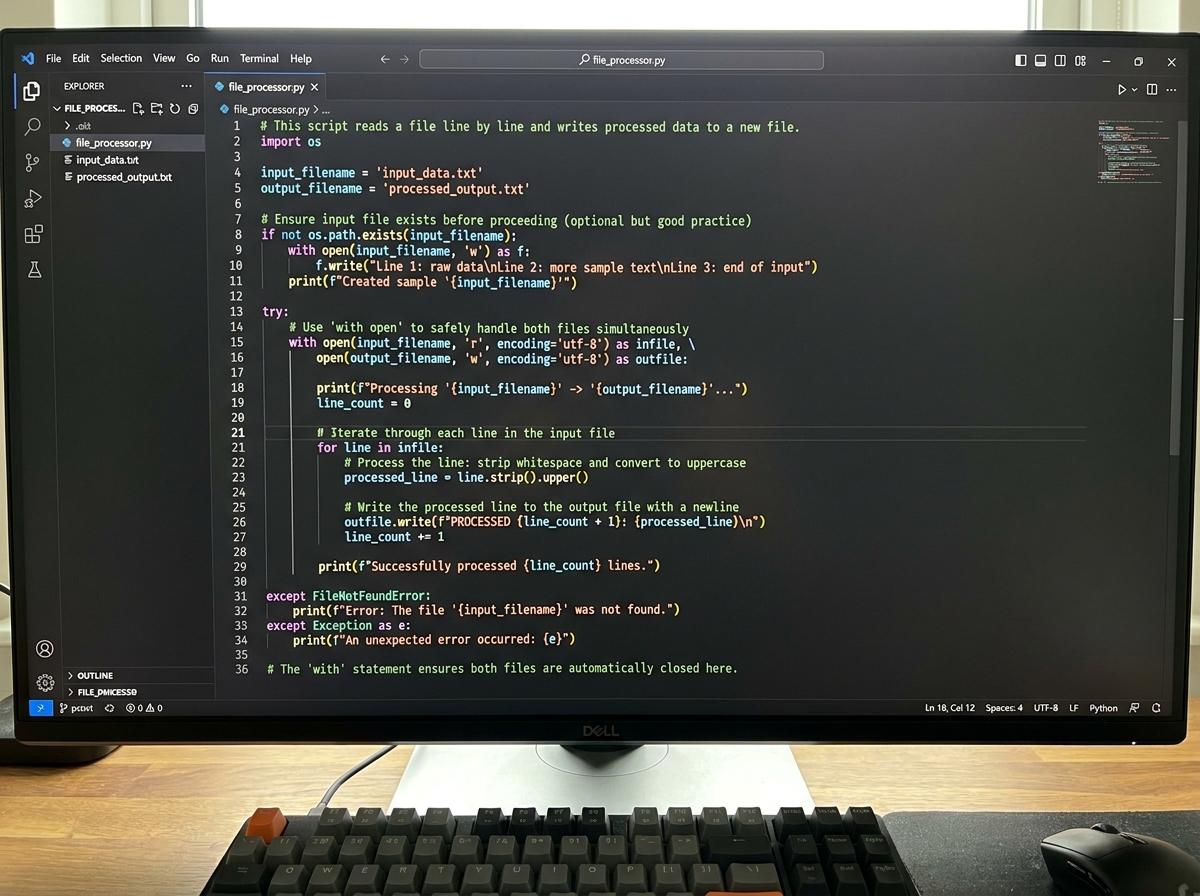
The concepts are simple: open a file, read or write, close it. The detail that matters is using a with block, which handles closing the file automatically even if something goes wrong mid-execution. Most beginners learn this the wrong way first — opening files without the with statement — and it works fine until it doesn’t.
The first time you write a program that reads a list of names from a text file, processes each one, and writes results back to a different file, something shifts. The program is no longer self-contained. It’s interacting with data that existed before it ran and leaving traces after it finishes. That’s what software actually does in the real world.
Looking Back at What Actually Mattered
The order mattered more than the speed. Every person who tried to skip variables and jump to loops, or skipped functions and went straight to projects, had to come back. The foundations aren’t just knowledge — they’re the mental models that make everything else interpretable.
The other thing that mattered: writing broken code on purpose, then fixing it. Error messages are documentation. Reading them carefully instead of Googling the first word is a skill that separates people who keep progressing from those who stay stuck.
Here’s what you can put to work right now:
- Install Python locally and open a terminal before anything else. Running code on your own machine forces you to understand the environment in a way that browser-based tools never will.
- Type every example yourself — never copy-paste. Muscle memory from typing out syntax helps you catch your own mistakes faster later.
- When you get an error, read the full message before searching for it. Python errors are specific; the line number and error type usually tell you exactly what happened.
- Name your variables as if someone else will read them tomorrow.
user_ageis a variable.xis a mystery that will slow you down in a week. - Write a small program using each concept before moving to the next. A 10-line program that uses a list, a loop, and a function consolidates three concepts at once.
- Practice writing functions from the first day you learn about them. Don’t wait until a project feels big enough to justify reusable code.
- Use
print()to inspect variable values at every stage of a program. This habit reduces debugging time more than any other single practice. - Explore Python’s practical applications as motivation, not as a destination. Whether that’s automating data workflows with Python or building simple scripts, having a use case keeps the abstract concepts grounded in something real.
Leave a Reply